
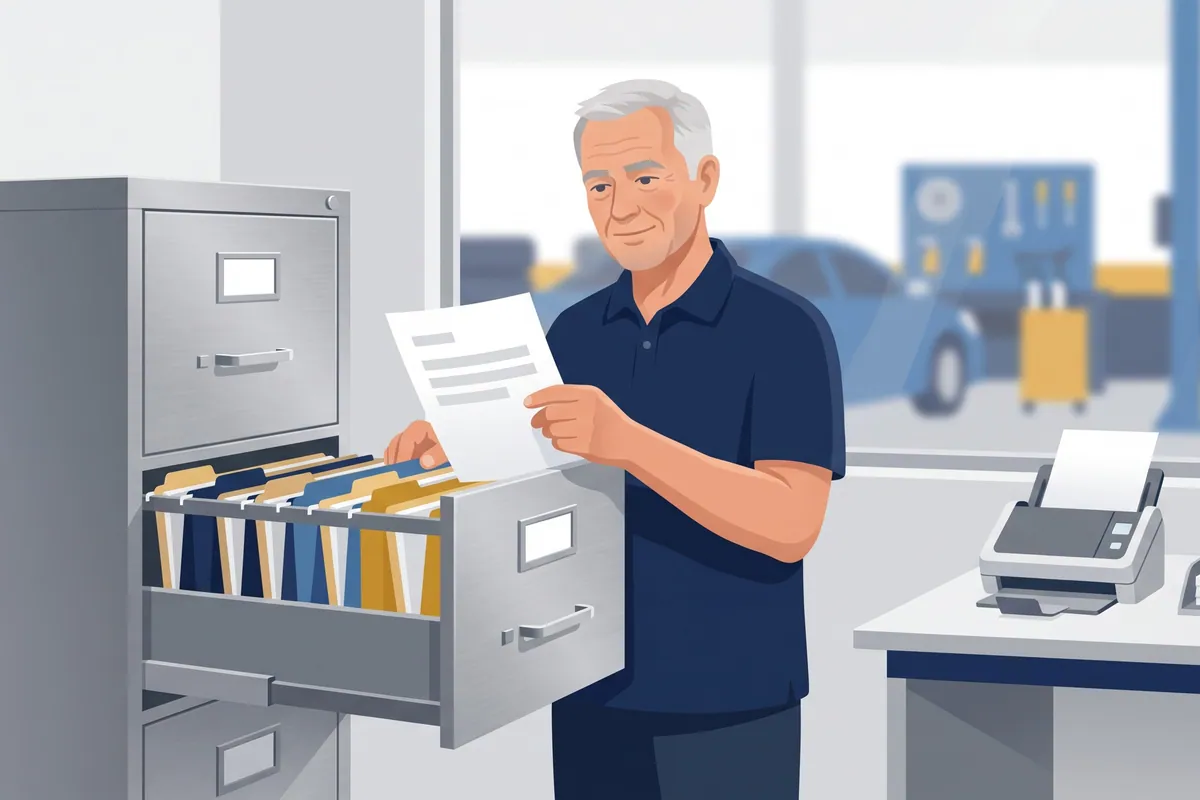

Most repair shops already have an accounts payable filing system. It’s a milk crate behind the parts counter, and it has never once lost a game of hide-and-seek.
The crate holds everything and answers nothing. The statement says you owe $3,940. Your books say $3,554. The $386 difference is a caliper you sent back three weeks ago, and the return slip that proves it is in the crate. Somewhere. Under a lunch menu.
This post is for the owner, office manager, or bookkeeper who has to answer for that $386, whether you run one shop or five. It covers what an AP filing system actually has to do in a repair shop, a folder and naming structure built for parts invoices, where credits, cores, and counter receipts go, paper versus digital, how long to keep invoices, and the routine that keeps the crate from coming back.
Full disclosure: I run WickedFile, which reconciles parts invoices, credits, and statements against repair orders. It is not a filing cabinet, and nothing below requires it. Every folder in this post works in a free cloud drive or a steel cabinet.
What an accounts payable filing system has to do in a repair shop
A filing system isn’t there to store paper. It’s there to answer questions fast.
In a repair shop, the same four questions come up every month:
- Did we get the invoice for this charge?
- Which RO was it for?
- Did the vendor credit the return or the core?
- Did we pay it, and how?
If your system answers each one in under two minutes, it works. If any of them needs a phone call to the store, it doesn’t. (Two minutes is roughly how long a bookkeeper searches before deciding the vendor is probably right.)
Here’s why the advice on AP software blogs doesn’t fit. Those articles assume invoices arrive one way, into one inbox, from a short list of suppliers. A repair shop gets them through four doors:
- The driver. A delivery ticket comes with the box. The real invoice shows up later.
- Email. A PDF, often sent to whoever placed the order instead of the office.
- The vendor portal. The invoice exists there until somebody downloads it, which is to say, it exists there.
- The counter. An advisor pays by card, and the receipt lives in a shirt pocket until laundry day.
And it’s not a short list of suppliers. In the 2026 Ratchet+Wrench Industry Survey of 430+ shops, 47% said they use five or more regular parts vendors each month. Five vendors times four doors is twenty ways for one invoice to go missing. The filing system has to close all twenty.
File by vendor first, because every question starts with a vendor
The first decision in how to file invoices is the top-level sort. Most shops pick the date, or the date paid, because that’s how the accountant asked for it. I get why people do it. It’s backwards for a parts business.
Think about who asks you for a document. The vendor statement comes one vendor at a time. A credit dispute is with one vendor. The rep who calls about a past-due balance works for one vendor. Nobody has ever called your shop asking what you bought on the 14th.
Here’s what that means at month end. Tie out a statement in a date-sorted system and you’re opening 30 daily folders to find 22 invoices from one parts house. In a vendor-first system, you open one folder. Your accountant still gets months, because every vendor folder is split by month anyway.
(When I filed parts invoices in my dad’s shop as a kid, my system was alphabetical by whichever letter I felt like that day. I’ve grown since then. Mostly.)
The accounts payable filing system, folder by folder
Here’s the structure. It works the same in Google Drive, OneDrive, Dropbox, or a shared drive on the office PC.
AP/
├── _INBOX/                  everything lands here first
├── _AWAITING CREDIT/        return slips, RMAs, core tags
├── _NEEDS RO/               invoices nobody has claimed yet
└── Vendors/
    ├── Parts House A - Acct 10443 - Store 1/
    │   └── 2026/
    │       └── 2026-11/
    ├── Parts House A - Acct 10971 - Store 2/
    ├── Dealer B - Acct 55120 - Store 1/
    └── Tire Supplier C - Acct 3381 - Store 1/
The three underscore folders sort to the top, and that’s on purpose. They’re not storage. They’re a to-do list.
_INBOXcatches every scan, email attachment, and portal download. Nothing lives here longer than a day._AWAITING CREDITholds anything that went back to a vendor: return slips, RMAs, core tags, warranty returns. A document sits here until its credit memo arrives._NEEDS ROholds invoices with no PO number, or a PO number that doesn’t match an RO. Somebody at the store has to answer for them.
Below that, one folder per vendor account, not per vendor name. If each store is its own LLC with its own account at the parts house, each account gets its own folder. Same parts house, three stores, three folders. That’s how the statements arrive, so that’s how you file. Rent, utilities, and software bills use the same structure with a lot fewer documents.
An invoice filing system that sorts itself
The naming convention matters more than the folders. Use this pattern for every file:
TYPE_YYYY-MM-DD_DOCNUMBER_RO#####.pdf
Six types cover almost everything:
| Prefix | Document | Example |
|---|---|---|
| INV | Vendor invoice | INV_2026-11-03_78234_RO31877.pdf |
| RET | Return slip, RMA, or core tag | RET_2026-11-05_RMA5512_RO31877.pdf |
| CM | Credit memo | CM_2026-11-12_CR4471_RO31877.pdf |
| RCPT | Counter, card, or COD receipt | RCPT_2026-11-14_CARD-1234_RO31902.pdf |
| STMT | Vendor statement | STMT_2026-11-30.pdf |
| PAY | Check stub or ACH remittance | PAY_2026-12-10_ACH.pdf |
A few rules keep it honest:
- Use the document date, not the scan date. The statement lists document dates.
- Key the invoice number as printed, minus leading zeros, and keep any suffix. 0078234 becomes 78234. 55120-1 stays 55120-1.
- The RO number is the PO number. If the invoice doesn’t have one, it goes to
_NEEDS RO. Don’t guess.
Now search the AP folder for “RO31877.” You get the invoice, the return slip, and the credit memo in one result, even though they sit in different months. That’s the whole trick.
A file called scan_0047.pdf isn’t a name. It’s a riddle you’re leaving for yourself in March.
Where the awkward documents go
The invoices are easy. These are the ones that end up in the crate.
- Delivery tickets. A ticket is not a bill. Attach it to the invoice when the invoice arrives. If the invoice never shows up, the ticket is your evidence to ask for one. Filing it as its own bill is how shops pay twice.
- Return slips and core tags. Into
_AWAITING CREDITthe day the part leaves the building. When the credit memo arrives, name both with the same RO and move them into the vendor’s folder for the month of the credit. A return slip proves you meant well. Our credit memo guide explains why only the credit memo proves you got paid. - Core charges. The charge is already on the invoice. The core tag follows the same path as a return slip. Cores don’t find their way home on their own, and neither do their credits.
- Counter and COD receipts. The advisor writes the RO number on the receipt before it leaves the counter. File it as RCPT with the last four digits of the card, so it matches the card statement later. If the cash came out of the drawer, it belongs in your petty cash log too.
- Statements. File the marked-up copy after you tie it out, not the clean one. The checkmarks and notes are the useful part. The vendor statement reconciliation guide walks through the tie-out itself.
- Proof of payment. A PAY file with the check number or ACH date, in the month you paid. That answers question four.
Paper or digital: scan it, but read the IRS fine print first
Digital wins for one reason: search. One search for an RO number finds three documents across two months. A steel cabinet can’t do that, no matter how nice the hanging folders are.
The IRS is fine with electronic records, with conditions. IRS Publication 583 says the same requirements that apply to paper records also apply to electronic storage systems, and that the system has to index, store, preserve, retrieve, and reproduce records in legible form. It also says original paper may be destroyed only after the electronic system has been tested and there are procedures to keep it compliant.
My conservative version for a shop: scan every day, keep the paper in one envelope per month, and box the envelopes until your CPA is comfortable with your scans. That’s my practice, not an IRS rule. Paper takes up a shelf. A rejected deduction takes up a lot more.
If you stay on paper, the structure is identical. One hanging file per vendor account, one manila folder per month, and a bright red folder for awaiting credit so nobody can pretend they didn’t see it. For capture tools, our roundup of the best receipt scanning apps compares what’s out there. A phone scanner app handles most shops just fine.
How long to keep invoices: three years is the floor, not the answer
The IRS’s general rule is three years from when you filed the return the records support. But the IRS page on how long to keep records lists longer windows that catch shops more often than you’d think:
| Record | Keep it at least | Why |
|---|---|---|
| Vendor invoices, credit memos, statements, counter receipts | 3 years after you file the return they support | IRS general rule |
| Same records, if income was underreported by more than 25% | 6 years | IRS |
| Records behind a bad debt deduction | 7 years | IRS |
| Invoices for lifts, scan tools, alignment racks, building improvements | Until the limitation period ends for the year you sell or scrap the item | IRS property rule (depreciation and gain or loss) |
| Any record a lender, insurer, or landlord requires | Whatever they say, if it’s longer | IRS notes creditors and insurers may require longer |
| No return filed, or a fraudulent return | Indefinitely | IRS |
The equipment row is the one shops miss. That $9,000 lift invoice from 2019 matters until a few years after the lift leaves the building, not three years after you bought it.
The IRS also has a longer memory than your parts guy, so here’s my default: keep AP records seven years, keep equipment invoices as long as you own the thing plus seven, and never shred anything tied to an open dispute. Some states set their own record rules on top of this, and the repair orders and receipts you hand customers are records too. Our guide to the mechanic receipt covers what to keep on that side.
I know parts invoices. I don’t sign your tax return. Run your shred date past the person who does.
What one missing credit memo costs at month end
Here’s an illustrative three-store group. These are assumptions to show the math, not benchmarks:
- 15 documents a month across the group that someone has to hunt for at statement time: missing invoices, credit memos, return slips.
- 30 minutes per hunt. Check the crate, search email, call the store, call the vendor, wait for a copy.
- $25 an hour for the person doing the hunting.
That’s 7.5 hours a month, or $187.50, or $2,250 a year of somebody’s time spent looking instead of reconciling.
Then the expensive part: the hunts you lose. Say one a month ends with the office paying the statement as billed, because the return slip didn’t turn up before the due date. If the average one is $386, like our caliper, that’s $4,632 a year.
Accounting firm Paar Melis’s 2025 benchmark report puts average parts gross profit at about 46.1%. To earn back $4,632 in parts profit, you’d need to sell roughly $10,050 more in parts. That’s a lot of brake jobs to pay for a caliper you already returned.
Now run the same caliper through the folders above. The return slip went into _AWAITING CREDIT the day it shipped. A search for RO31877 takes thirty seconds. Better yet, you knew the credit was missing three weeks before the statement told you.
The routine that keeps the crate from coming back
Folders don’t file themselves. This takes about ten minutes a day for a single store.
Daily
- Empty
_INBOX. Every document gets named and filed, or moved to_AWAITING CREDITor_NEEDS RO. - Pull portal invoices and email PDFs into the inbox, so nothing lives only in someone’s email.
- Collect counter receipts with RO numbers written on them.
Weekly
- Anything in
_AWAITING CREDITolder than 14 days gets an email to the vendor asking for the credit memo. - Anything in
_NEEDS ROgoes back to the store manager for an answer.
Monthly
- Tie out each statement, request copies of anything on it you don’t have, and file the marked-up copy.
Yearly
- Once your CPA signs off, purge the year that’s past your retention date. Skip anything tied to a dispute.
For how filing fits into the rest of the week, the repair shop accounts payable process lays out the full workflow from receiving to payment. And when a CPA, lender, or auditor asks for the invoice behind a $2,140 entry, this structure is what makes that a two-minute answer. Our post on the accounts payable audit covers what they ask for and why findable paper matters.
Where WickedFile fits, and where it doesn’t
Everything above works with a cloud drive, a scanner, and a little stubbornness. If all you need is a place to put PDFs, a well-organized cloud folder does that for free. WickedFile is not a better folder, and I’m not going to pretend it is.
Here’s where it does fit. The hard part of an AP filing system was never the filing. It’s the matching. Knowing that a return slip has sat in _AWAITING CREDIT for five weeks. Knowing that a counter receipt has no RO. Knowing that the statement lists an invoice nobody has. That’s the job WickedFile does:
- Reads the documents. Parts invoices, credit memos, and vendor statements, scanned or uploaded.
- Ties them to repair orders. Each invoice is matched to an RO through the PO number, using data from your shop management system.
- Checks the money side. It connects to bank and card feeds through Plaid and to QuickBooks Online, then flags card charges with no invoice and accounting entries with no source document.
- Checks the statement. Statement lines with no supporting document, and credits missing from the statement, get flagged before you pay.
As a side effect, every document ends up in one searchable place, attached to its RO, its credit, its statement line, and its payment. The filing happens because the reconciliation happened. Not the other way around.
What it doesn’t do, honestly:
- It isn’t generic accounts payable document management or file storage. It’s built around AP documents. Your lease, insurance policies, and employee files belong somewhere else.
- It isn’t a records-retention program. It won’t tell you when to shred. Your retention policy is still yours and your CPA’s, and I’d keep your own copies.
- It doesn’t replace QuickBooks or pay your vendors. It checks the documents behind the entries. You still pay the way you do now.
- It doesn’t make advisors write RO numbers on counter receipts. That’s still a process, and still your job to enforce.
The best way to use the free trial (500 scanned pages, no credit card): pick your biggest parts vendor and upload one month of invoices, credit memos, return slips, and the statement. You’ll see what’s missing on your own paperwork instead of taking my word for it. After the trial, the Grow plan is $299 a month, flat. If your awaiting-credit folder empties every week and your statements tie out on the first try, you may not need it.
Book a demo or start the free trial →
The short version
An accounts payable filing system in a repair shop has one job: answer four questions about any charge in under two minutes. File by vendor account, then month. Name every file with type, date, document number, and RO. Keep inbox, awaiting credit, and needs RO at the top. Scan daily, read the IRS rules before shredding paper, and keep AP records at least three years, longer for equipment or if a lender asks.
Build the folders this weekend. The milk crate can go back to holding milk. (It never held milk. Nobody knows where it came from.)