
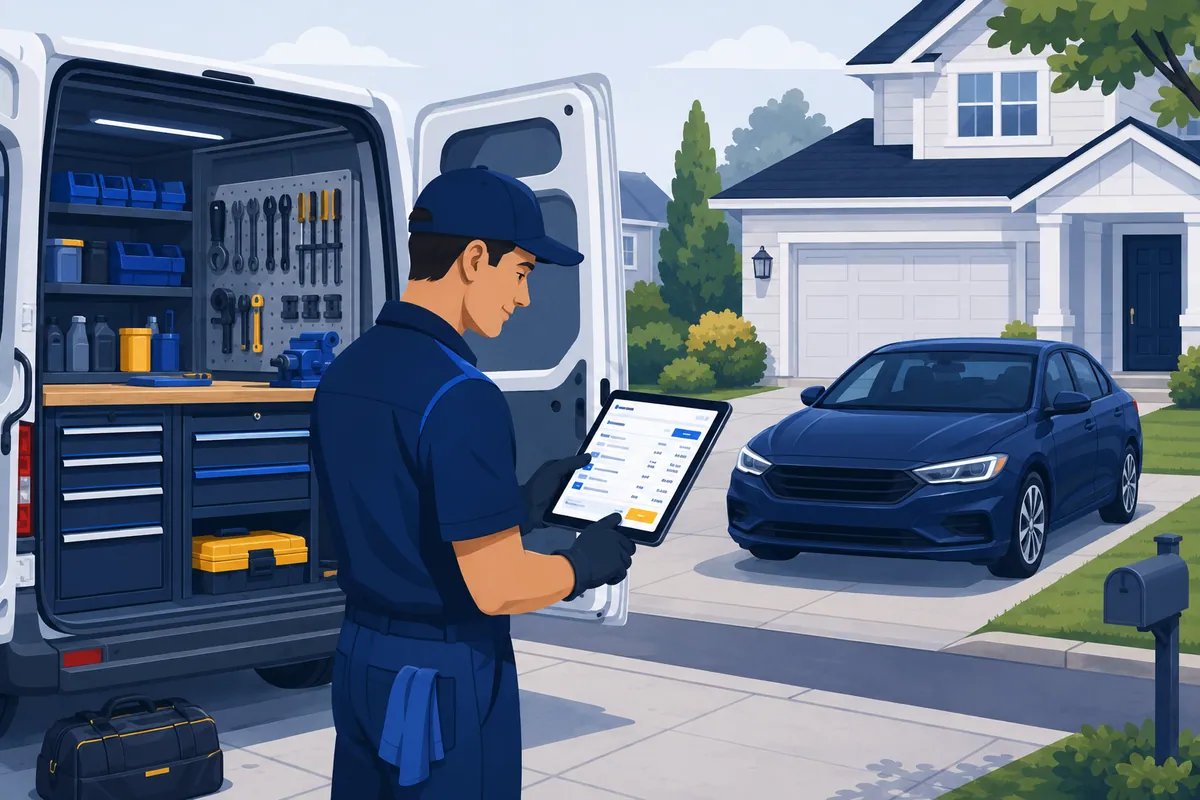

A mobile mechanic’s entire shop fits in a van, which means the one tool you can never lose is your phone (and, if you grew up in the trade like I did, the half-dead Bluetooth headset you refuse to replace). So before you bolt a second monitor to your dashboard, it is worth knowing which mobile mechanic software is actually built for life in a driveway and which is a shop platform wearing work boots.
This is a buyer’s guide for the solo and small mobile operator. The van-based tech with no bays, no lift, and no front counter. It covers what mobile mechanic software is, the handful of features that earn their keep on the road, six real tools worth a shortlist, and the honest take on when a fancier shop platform is just overbuilt for one van.
Read it in five minutes. Shortlist in one coffee break.
Mobile mechanic software is built for the van, not the bay
Most software with “auto repair” on the box assumes you have a building.
It assumes a lift. A parts room. A front counter with a person at it. Multi-bay scheduling. Inventory that lives on shelves.
You have none of that. You have a van, a tablet, a torque wrench, and a customer standing in their own driveway waiting to hand you a card.
Mobile mechanic software is the category built for that reality. The job is narrower and the priorities flip. You do not need a parts room module. You need to quote a job at the curb, get a yes by text, do the work, and collect payment before you pull out of the driveway.
Here is the interesting part. A lot of the best tools in this space were not born in auto at all. They came from home services, where someone has been fixing things in a driveway with a phone for years. That is why this guide mixes auto-specific apps with general field-service ones. Both can run a van.
The features that actually earn their keep on the road
Ignore the feature list with forty checkboxes. On a van, four things matter.
- On-site estimating and invoicing. Build a quote at the curb, send it, get a digital yes. No going home to “write it up.” VIN scanning that auto-fills the vehicle saves you typing on a phone, which is its own small mercy.
- Get-paid-now payments. Card, tap, or a QR code the customer scans. The single biggest cash-flow win for a solo mechanic is collecting before you drive off, not mailing an invoice and hoping.
- Scheduling with route optimization. If you do five stops a day across a metro, the order you drive them in is real money. A tool that sequences your day to cut windshield time pays for itself in fuel and hours.
- Customer texting. Reminders, approvals, “running 20 late.” Two-way text keeps a one-person operation from drowning in voicemail.
Notice what is not on that list. Inventory control. Multi-bay dispatch. The back-office machinery a brick-and-mortar shop runs on. You do not need it to run a van.
One opinion, because I have watched too many one-van operators talk themselves into the wrong tool: the most expensive software is the one you bought for the business you hope to have instead of the one you actually run. A solo mechanic does not need a platform built for a 12-bay shop. You need to get paid in a driveway with the least typing. Buy for the van you drive today.
Quick comparison: mobile mechanic software in 2026
Pricing below is what vendors publicly advertised at the time of writing. Plans and per-user fees move constantly, so confirm the current number on the vendor’s own page before you sign.
| Software | Best for | Starting price | Key strength | Type |
|---|---|---|---|---|
| Mobile Tech RX | Auto techs living in the van | ~$39/mo | Recon-trade workflows (PDR, detail, glass) | Auto-specific, mobile-first |
| Orderry | Solo to small auto fleets | Quote-based | On-site VIN scan + QR-code pay | Auto-specific, mobile-first |
| Jobber | Cost-conscious solo operators | ~$29/mo | Client self-service portal | General field service |
| Housecall Pro | Techs tied to QuickBooks | ~$79/mo | QuickBooks sync (incl. Desktop) | General field service |
| Shopmonkey | Mobile tech eyeing a future shop | Quote-based | Polished auto-specific workflows | Bay-built SMS w/ mobile app |
| AutoLeap | Growing into a building | ~$179/mo | Full shop management depth | Bay-built SMS w/ mobile app |
The six tools worth a shortlist
1. Mobile Tech RX — built for the windshield, not the bay
Best for: auto techs who genuinely live in the van.
Mobile Tech RX started in auto reconditioning and paintless dent repair, then grew into broader mobile mechanic use. That heritage matters. It was designed from day one for a technician working out of a vehicle, not a shop floor.
The differentiator is depth of mobile-trade fit. It ships tailored workflows for PDR, detailing, glass, paint, tint, and wheel work, with on-site estimating, invoicing, payments, VIN check-in, and custom checklists built for a tech working out of a vehicle. If your van does reconditioning-adjacent work, the templates already speak your language.
Advertised pricing has started around $39 a month on the entry tier and roughly $99 a month for the standard tier, with per-user add-ons. Confirm the current number on their plans page.
2. Orderry — the “built for the road” auto app
Best for: solo to small mobile auto operations that want auto-specific and mobile-first.
Orderry markets its mobile mechanic app as “built for the road,” and the feature set backs that up. Its standout is how cleanly it closes the loop in a driveway: VIN scanning that auto-fills vehicle details, on-site estimates and invoices with e-signatures, and QR-code payment collection through Square and Stripe.
That get-paid-by-QR-code flow is the differentiator here. The customer scans, pays, you leave. It also runs two-way messaging across SMS and other channels.
Orderry serves other trades too, but it positions auto squarely. Pricing is on a separate page and quote-driven, so check it directly.
3. Jobber — the cheap, competent generalist
Best for: cost-conscious solo operators who want the basics done well.
Jobber is not auto-specific. It is general field-service software built for people who fix things at other people’s addresses, and it is very good at it. For a mobile mechanic, that is often plenty.
The differentiator is the Client Hub, a self-service portal where customers approve quotes, see appointments, and pay invoices in one place. It cuts the back-and-forth that eats a solo operator’s evenings, which matters when you are under a car instead of at a desk.
Solo plans have started as low as around $29 a month, scaling up by tier and user count. That low entry point is the draw.
4. Housecall Pro — the QuickBooks pick
Best for: mobile techs whose bookkeeping already runs on QuickBooks.
Housecall Pro is another general field-service platform aimed at home-service pros, and it does the mobile basics well: scheduling, dispatch, invoicing, payments, and a solid technician app.
Its genuine differentiator is QuickBooks. It is one of the few field-service tools that syncs to QuickBooks Desktop, not just Online, pushing invoices, customers, line items, and payments into your books. If your accountant lives in Desktop, that alone can decide it. Advertised pricing has started around $79 a month, with payments and the QuickBooks sync gated to higher tiers, so read the plan details.
5. Shopmonkey — auto-specific, but built for bays
Best for: a mobile tech who plans to open an actual shop soon.
Shopmonkey is auto-specific and genuinely polished. Here is the honest part: it is a shop management system with a mobile app, not a mobile-first tool. It is built around the bay, inventory, and a front-counter workflow.
You can run it from a phone, and the customer-facing inspections and estimates are some of the cleanest in auto. But as a one-van operation you would be paying for shop depth you do not use yet. Where it shines is the tech who is mobile today and signing a lease next year. Pricing is quote-based.
6. AutoLeap — the most shop, the most overbuilt for one van
Best for: operators already growing into a building.
AutoLeap is full auto shop management software with a capable mobile technician app for inspections, approvals, and status updates on the go. It is comprehensive, which is exactly the point and exactly the catch.
Its differentiator is depth: CRM, multi-location control, the full back office. For a busy multi-bay shop that is a strength. For a solo mobile mechanic it is mostly weight you carry and pay for. Advertised pricing has started around $179 a month. If you have a shop or are about to, look hard at AutoLeap and the rest of the building-based field — start with our roundup of the 5 best auto repair software tools. If you are still van-only, it is more platform than your day needs.
A quick reality check on the dollars
Let me make the “buy for the van you drive today” point with numbers. This is an illustrative example, not a quote from any vendor.
Say you do roughly 30 jobs a month as a solo mobile mechanic.
A general field-service app at $29 a month costs you about $1 per job.
A full shop platform at $179 a month costs you about $6 per job — for inventory, multi-bay scheduling, and back-office modules a one-van operation does not touch.
That is a $150-a-month gap, or roughly $1,800 a year, to carry features you are not using. That is most of a transmission job. It is also, not coincidentally, a real chunk of margin in a trade where net profit is something you have to actively defend. The cheaper tool is not the worse tool when it does everything your van actually needs.
The flip side holds too. If the $179 platform saves you ten hours a month of retyping and chasing payments, it pays for itself fast. The math only works against you when you buy depth you do not use.
When do you actually need more than a van app?
Here is the honest line, because telling you what you do not need is more useful than selling you something.
A van app stops being enough the day you stop being a one-van operation. Add a second and third van, a couple of techs, or a fixed location with bays, and you have crossed from mobile mechanic into shop. That is when you need software built for a shop: inventory, multi-tech dispatch, and a real back office. Until then, a mobile-first app is the right tool, and bolting on shop-grade software early just buys you complexity you will not use.
The business model crosses over at the same moment the software does, and it is worth reading before you buy the second van. What actually decides whether a mobile operation works is route density, a parking lot you do not own, and a federal 55-gallon limit on how much used oil you can legally haul at once. None of that is a software problem, and all of it caps your day.
If you are weighing a fuller stack as you grow, our guide to how to choose the best auto repair software walks the decision, and the broader automotive software map shows every category a growing operation eventually touches.
The short version
For a one-van mobile mechanic, the right tool is the one that lets you quote, schedule, and get paid in a driveway with the least typing. Auto-specific and mobile-first means Mobile Tech RX or Orderry. Cheap and competent means Jobber or Housecall Pro. Save Shopmonkey and AutoLeap for the day you sign a lease.
And if you are still hand-writing invoices on a paper pad, no judgment — but the pad has never once sequenced your route or reminded a customer to pay. Pick one app, set it up this weekend, and get the rest of your evenings back. If you just need cleaner invoicing first, start with our list of the best invoicing software for auto repair shops — it scales down to a van just fine.