
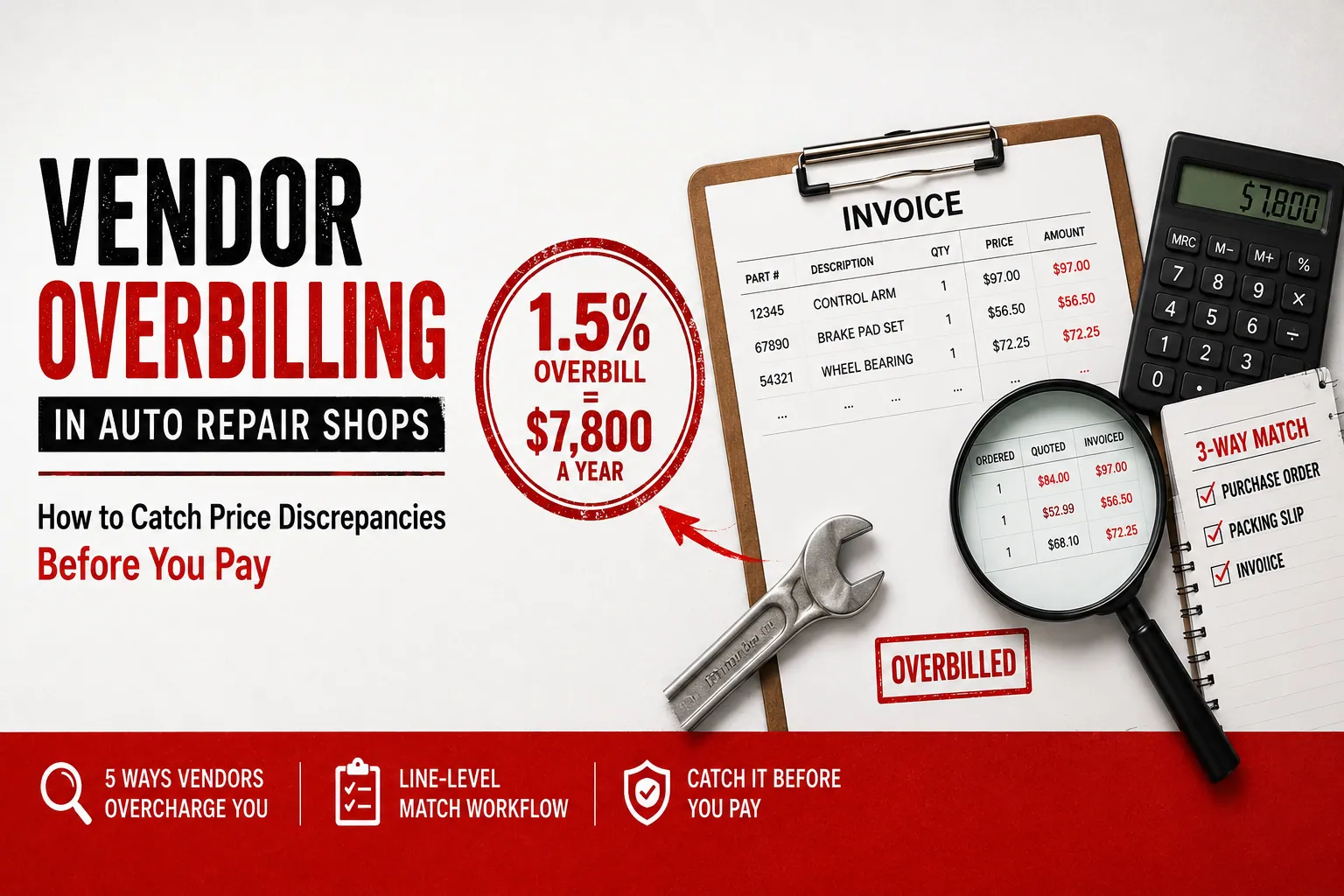

If you’ve never matched your parts invoices line by line against what you actually ordered, there’s a strong chance a quiet 1.5% of your annual parts spend is leaking out before the bill ever hits QuickBooks — and on a shop buying $520,000 in parts a year, that’s $7,800 walking out the door. Vendor overbilling in an auto repair shop almost never looks like a scandal. It looks like this: WORLDPAC quotes a control arm at $84 on the phone, your service advisor builds the RO around that number, the truck shows up three days later, and the invoice bills the part at $97.
Nobody re-checks. The $13 gets paid. Clean. Done. Filed. Multiply that by every line, every parts house, every week.
Not a crooked counter guy. Not theft. It’s price-file drift between the quote and the ship date, freight padded onto a part line, and quantity gaps that no one is matching at the line level. It’s the accounts-payable side of the leak — the cost-side problem that corrupts your true landed cost, the cost number every parts-margin metric is calculated on. Written for the shop owner, not the consumer.
What This Guide Covers (and Why It’s Different From Statement Reconciliation)
This is a vendor overbilling auto repair shop playbook. It covers what overbilling actually is in a parts-house context, the five mechanisms parts suppliers use to overcharge you without anyone meaning to, the worked dollar math on a conservative 1.5% silent overbill rate, a true line-level three-way-match workflow you can run before you pay, and a 90-minute audit you can do on your last quarter of invoices.
Read it in five minutes. Catch it on Monday’s invoices.
First, draw a clean line between this and a different job you may already do. Month-end vendor-statement reconciliation works at the document level — statement total versus payments made — and it happens after the month closes, after the money has already moved. That work matters, and we cover it in our vendor statement reconciliation guide. But this guide goes one layer deeper. It catches the per-line price and quantity error inside each invoice before you pay it. Different workflow, different timing, no overlap. Statement reconciliation is the safety net at month-end. This is the catch at the moment the invoice lands.
This is built for the parts houses you actually buy from: NAPA, WORLDPAC, O’Reilly First Call, Advance/Carquest, plus your dealer and OE counters. Every one of them ships under conditions that make line-level errors normal, not exceptional.
The thesis is simple. A true three-way match is purchase order → packing slip (goods receipt) → invoice, with all three agreeing at the line level. Almost no shop runs that match on parts. That gap is exactly where overbilling lives. And because overbilling inflates the cost that flows into your matrix, it corrupts the denominator under every parts KPI you track — which is why this post is the cost-side companion to our parts KPI benchmarks guide. Fix the cost first, or you’re benchmarking a number that isn’t real.
What Vendor Overbilling Actually Is (in a Parts House Context)
Vendor overbilling is when the invoice you’re asked to pay is higher than what you agreed to pay — through price, quantity, freight, or duplication — and nobody catches it because the invoice is never matched back to the order at the line level.
Here’s the part most owners get wrong: it’s rarely malicious. Your counter rep isn’t stealing from you. The price file is. It’s price-file drift between the quote and the ship date, automated freight rules firing when they shouldn’t, partial-ship billing logic that bills the full order, and bad SKU substitutions that swap in a higher-priced equivalent. The invoice is generated by a system following rules. Nobody at the parts house is sitting there marking your specific orders up by hand.
Parts houses are uniquely prone to this for structural reasons. Their price files update daily, so the number you were quoted at 9 a.m. can be stale by the time the part ships. Fulfillment is multi-location — your part may ship from a different distribution center at a different price than your local store quoted. Core lines get stacked onto parts lines. And the electronic catalog quotes you order off of — PartsTech, NAPA PROLink, WORLDPAC speedDIAL — aren’t price-locked to the invoice that arrives three days later. The quote is a snapshot. The invoice is the truth, and they don’t always agree.
The honest framing: most overbills are small. A few dollars a line. The damage is volume, not size — the same structural pattern as service advisor discounting, where it’s death by a thousand small ones, not one big one. You’ll almost never find a single $400 error. You’ll find $11 here, $18 there, a duplicated $140 invoice once a quarter, and it adds up to four figures a year at one shop and five figures across a group.
The Five Ways Parts Houses Overbill You
Each of these looks like rounding on a single line. Run them across a year of NAPA, WORLDPAC, and O’Reilly invoices and you’re at four figures minimum for one shop.
1. Price-file drift between quote and ship
The $84 phone or catalog quote bills at $97 because the vendor’s price file updated between the quote and the ship date. Your RO was built on $84. The invoice says $97. Your matrix marked up the wrong cost, so you’re either eating $13 of margin or charging a number you can’t defend. Say this happens on 8 lines a week with an average $13 gap — that’s $104 a week, or roughly $5,400 a year on price drift alone at a busy shop. This is the most common overbill and the easiest to miss, because $97 doesn’t look wrong on its own. It only looks wrong next to the $84 you were quoted.
2. Freight padded onto parts lines
A “free freight over $X” threshold that doesn’t get applied. A hot-shot delivery fee buried inside a part line instead of broken out as freight. A handling fee on a will-call order you drove over and picked up yourself. WORLDPAC and OE dealer orders are the usual suspects here. The charges run $9 to $25 a pop, and they’re nearly invisible because they’re inside the line, not on their own row. You can’t dispute a freight charge you can’t find.
3. Quantity-shipped vs. quantity-billed gap
You ordered 4 rotors. 3 showed up because one was on backorder. The invoice bills 4. Or a SKU sold “as a pair” bills as 2 units when you received one box. Without a packing-slip check against the invoice, you pay for parts that never hit your shelf. This is the single most expensive failure mode per incident — a full part billed and never received can be $80, $150, $300 in one shot. It hides in backordered and partial-ship lines, which is exactly where nobody is looking.
4. Duplicate invoices
The same parts order invoiced twice — once on the delivery ticket converted into an invoice, and again on the monthly statement rollup. Or a re-sent invoice after a system glitch. This is common with O’Reilly First Call and Advance/Carquest electronic invoicing. You pay both because they carry different invoice numbers, and your AP person has no way to know they’re the same goods. A single duplicated $140 invoice is $140 gone, clean, with no part to show for it.
5. Core charge billed on a non-core line, or billed wrong
A $120 core charge stuck on a line that should carry $0. A reman core stacked on top of a new part. A core billed at the wrong amount. This ties back to the four-leak framework, where unreturned cores are their own profit leak — and we cover the return side in depth in our core charge profit leakage guide. But the overbill of the core at the moment of purchase is a distinct, AP-side problem. It corrupts your cost before the return workflow ever starts. You can run a perfect core-return process and still lose money if the core was billed wrong on the way in.
The Dollar Math: What a 1.5% Silent Overbill Actually Costs
Start with the benchmark, because the number has to be defensible before it’s useful. Industry benchmarks put manual invoice processing error rates around 2% — top-quartile AP teams hit roughly 98% first-time accuracy while bottom-quartile teams sit near 88%, per APQC’s accounts-payable benchmarking — and survey data from the Institute of Finance and Management (IOFM) puts the share of invoices containing some error near 39%. Not all of those errors survive to payment — some get caught, some net out in your favor. So a conservative silent overbill rate — the errors that make it all the way to a paid invoice — of about 1.5% of parts spend is realistic and defensible. It’s below the raw error rate on purpose.
Single-shop Hank buys about $520,000 in parts a year. At 1.5%, that’s $7,800 a year leaked before a single part is marked up. Here’s the compounding twist: that overbilled amount enters your matrix as “landed cost.” So Hank either eats the $7,800 as lost gross profit, or he unknowingly passes through an inflated price he can’t defend to a customer who shopped it. Either way the $7,800 is real cash, not a paperwork footnote. It never shows up as a “loss” anywhere on the P&L — it’s just baked into a cost number that’s too high.
MSO Scott runs 6 locations averaging ~$520K in parts each, so about $3,120,000 in combined parts spend. At 1.5%, that’s roughly $46,800 a year. And the scaling is cruel: more locations means more parts houses, more daily price files, and more invoices, with zero shared visibility across the group. At a more realistic 1.6%–1.8% at scale, that’s roughly $50,000–$56,000 — so Scott’s true exposure likely runs higher than the conservative rate implies. The MSO math gets worse the bigger you get, not better, which is the same dynamic our parts vs. labor margin analysis for multi-shop operators traces through the rest of the P&L.
The leverage line is the one to internalize: every dollar of overbill is a dollar of cost you didn’t agree to, marked up by a matrix that now lies to you. It doesn’t reduce revenue. It reduces gross profit, dollar for dollar.
And this is the cluster tie that matters most. Parts gross margin %, your parts-side effective rate, and GP-per-RO are all computed on cost. If cost is overstated by overbilling, your parts KPI dashboard reads “fine” while your bank account doesn’t. The benchmarks look healthy because they’re built on a cost number that’s already inflated. You can’t trust a single parts KPI until you trust the cost underneath it.
The Line-Level Three-Way-Match Workflow (Do This Before You Pay)
A true three-way match is precise, and the precision is the point. Purchase order (what you ordered and the agreed price) → packing slip / goods receipt (what physically arrived) → invoice (what you’re billed). All three must agree at the line level — SKU, quantity, unit price, freight, and core. If any leg is missing, you don’t have a match. You have a guess. This isn’t a WickedFile invention; it’s standard AP practice, and any AP resource on three-way matching from NetSuite will define it the same way.
Here’s the shop reality, said plainly: most shops skip the PO entirely on parts and “order off the screen.” So leg one is already missing, and you’ve got nothing to match against. The fix isn’t enterprise procurement software and a purchasing department. It’s capturing the quoted price at the moment of order, so there’s a recorded number to check the invoice against later.
Capture the agreed price at the moment of order. When the advisor or parts manager orders off PartsTech, NAPA PROLink, WORLDPAC speedDIAL, or off the phone, record the quoted unit price on the PO/RO line. No captured quote means no leg one — and nothing to match against later.
Leg 1 — Purchase order / RO line:
- SKU, description, quantity ordered, and the agreed unit price are recorded before the part ships.
Leg 2 — Packing slip / goods receipt:
- When the truck arrives, confirm SKU and quantity physically received against the PO.
- Flag backorders, partial ships, and “sold as pair” SKUs on the spot. This is the leg almost every shop skips, and it’s exactly where quantity overbills hide.
Leg 3 — Vendor invoice:
- Match the invoice line against legs 1 and 2 — SKU, quantity billed, unit price, freight, and core charge, all compared at the line level, not the invoice total.
Then flag, every time:
- Any line where the invoice price exceeds the agreed PO price beyond a set tolerance (e.g., >5% or >$12, to filter noise) — that’s price-file drift.
- Any line where quantity billed exceeds quantity received per the packing slip — that’s a quantity gap.
- Freight or handling on will-call/picked-up orders, and freight that should have hit a free-freight threshold — that’s padded freight.
- Any invoice number you’ve already seen — that’s a duplicate.
- Core charges on non-core-eligible lines, or cores billed at the wrong amount.
The human step (not automated): for every flagged line, call the rep, request the credit or short-pay the disputed amount, and confirm the credit posts. The match surfaces the discrepancy. A person still moves the money and chases the vendor.
Be clear-eyed about that boundary. WickedFile reconciles the documents and line items against each other and flags the mismatch. It does not process the payment, issue a card, or chase the vendor for you. It finds the money. You — or your AP person — move it.
How to Audit Your Last 90 Days of Parts Invoices This Week
You don’t need software to find out whether you have this problem. Budget about 90 minutes and run it once by hand. This is a gut-check, not a full system, but it’ll tell you whether you have a problem worth fixing.
- Pull the last 90 days of invoices from your top 2–3 parts houses (NAPA, WORLDPAC, O’Reilly First Call / Advance) plus your dealer counters. Then export the parts-line detail from your SMS for the same window. Tekmetric, Shop-Ware, Mitchell 1, NAPA TRACS, Protractor, Fullbay, and RO Writer all export parts line detail to a spreadsheet.
- Match invoice unit price against the cost that posted to the RO. Flag any line where the invoice exceeds the RO cost by more than a small tolerance. Use the same discipline a tight discount audit uses — a 5% tolerance and a $12 minimum — to filter out noise and inspection stickers.
- Spot-check quantity billed vs. quantity received on any line you can verify against a packing slip or delivery ticket. Look hard at backordered and “sold as pair” lines, where quantity gaps concentrate.
- Scan for duplicate invoice numbers and for freight or handling lines on will-call orders you picked up yourself.
- Total the flagged dollars and annualize (multiply by 4). That’s your rough yearly exposure.
Doing this once by hand is a useful gut-check. Doing it on every invoice, every week, by hand, is how a back-office person burns out. Which is the whole problem — it’s a systems problem wearing a paperwork costume.
Why Your SMS and QuickBooks Can’t Catch a Parts Invoice Discrepancy
Your shop management system captures what you sold at the ticket. That’s the job it’s good at. The job it does not do is validate what you were billed against what you ordered. The SMS never sees the vendor invoice, so it has no idea the $84 part billed at $97. We trace this out for the most common platform in does Tekmetric catch parts margin leaks? — the system of record reports faithfully on the data keyed into it, but it never audits the invoice behind that data.
QuickBooks sees less. By the time the bill is entered, the overbill is already baked into cost. QuickBooks records the dollars that already hit your books — the inflated $97 is now just “parts expense,” indistinguishable from a correct number. And your bank and credit-card feeds see the least of all: they see the payment cleared, not whether the line price was ever right. This is the same architectural gap we trace in why generic AP tools fail auto repair shops — none of these systems were built to validate a parts line against an order.
Name the gap plainly: none of these systems run a line-level PO → packing slip → invoice match across multiple parts houses. The SMS doesn’t see the vendor invoice. QuickBooks doesn’t see the RO-level quoted cost or the packing slip. The parts-house portal only shows its own invoices, not your order or your receipt. Three systems, three blind spots, and the overbill lives in the seam between them.
That seam is where WickedFile sits — the layer between the SMS, vendor invoices, QuickBooks, and the bank feeds that surfaces the per-line overbill the moment the invoice arrives, before payment. To be precise about the limits: WickedFile does not process payments, issue corporate cards, or handle accounts receivable and invoicing. It does not chase the vendor for you. It surfaces the discrepancy; you act on it.
The founders grew up in their dad’s shop and knew this leak from the counter side long before they built the layer to catch it.
How Overbilling Ties to the Whole Parts-Margin Picture
There are four places parts margin disappears in a shop: wrong matrix selection, service advisor discounting, parts added at zero cost, and unreturned core charges. Vendor overbilling sits upstream of all four, because it corrupts the true landed cost every one of them is measured against. You can run a flawless parts matrix and a tight discount policy, and still bleed margin if the cost feeding both is wrong.
Tuning your matrix and discount policy while your invoices are overbilled is tuning the carburetor while the fuel line leaks. The mixture’s perfect and you’re still losing fuel.
The contrast pair to remember: the matrix decides what you charge. The invoice decides what it actually cost. If the cost is wrong, the matrix is just multiplying a lie.
This is why the cluster link matters more than any other in this post. Every benchmark in the parts KPI companion guide depends on accurate cost. Fix overbilling first, or your KPIs are measuring a number that isn’t real — a healthy-looking dashboard sitting on top of a hidden leak.
If you want to see what’s been slipping through, the free trial scans 500 pages with no credit card, and the Grow plan runs $299/month with no setup fees. Audit a stack of your real invoices and find out what a 1.5% overbill has been costing you.