
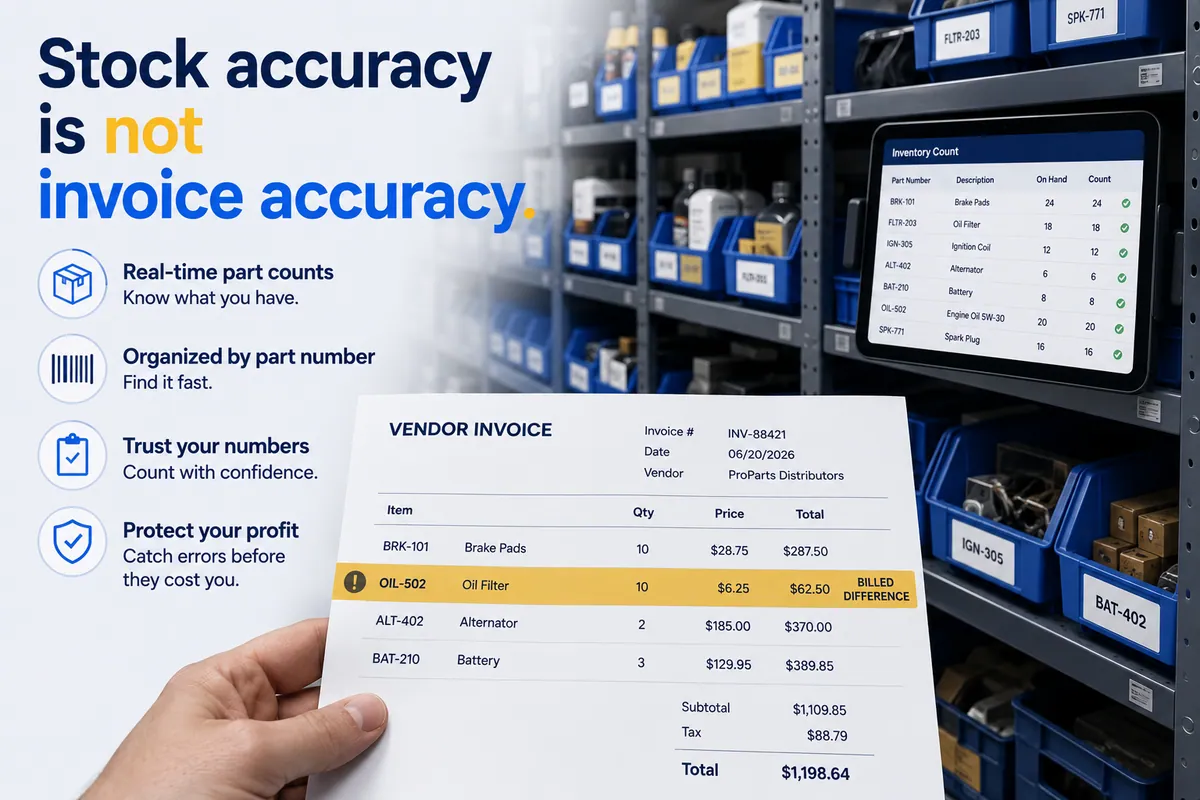

If you run an auto repair group, you’ve probably bought automotive parts inventory management software to get your stock under control. Good move — a shelf that tells the truth beats the old system (a guy named Dave who “remembers”). Here’s the part nobody warns you about: it can be configured perfectly and still leak you somewhere between $8,000 and $40,000 a year in parts margin. Not because the software is bad. Because counting parts and auditing the bill behind them are two different jobs, and most shops only ever buy a tool for the first one.
Inventory software answers one question: is the part on the shelf where the system says it is? It does not answer the question that actually moves your margin: were you billed the price you were quoted, and credited for every core and return? Your stock count can be immaculate while your money is quietly walking out the back door. (Yes, “quietly.” I’ll only use that word once. It’s earned here.)
This is the diagnostic piece, written for the owner and the multi-location operator, not the customer in the waiting room. Read it in six minutes. Run it on your own invoices this week.
Inventory software counts the part. It does not read the bill.
Automotive parts inventory management software tracks the physical stock in your shop: what’s on the shelf, in which bin, at what quantity, and when to reorder. Stock counts, reorder points, min/max levels, cycle counting, parts location, and — in a multi-store setup — visibility so one shop can pull from another instead of buying new.
The job is stock accuracy. When a tech needs a serpentine belt at 3 PM, inventory software exists to make sure the belt the system says is on Shelf C is actually on Shelf C. That’s a real problem worth solving. A shop guessing at its stock burns tech hours hunting parts and double-orders things it already owns.
It’s worth separating this from two things people lump in with it. How you keep the count honest is a different question — that’s cycle counting versus physical inventory. The ordering habits that cause over- and under-buying are different again — those are the parts ordering mistakes that cost shops money one rushed phone order at a time. This piece is about the software itself, and the one question it structurally cannot answer.
You probably already own the inventory tool you’re shopping for.
Here’s a take that won’t make me friends at the trade-show booths: most shops should not buy standalone parts inventory software at all. You almost certainly already own it.
If you run Tekmetric, Shop-Ware, Mitchell 1, NAPA TRACS, Protractor, Fullbay, or RO Writer, you have an inventory module right now — stock levels, reorder points, parts location, reporting. NAPA TRACS leans especially hard into inventory because of its parts-distribution heritage. On top of the shop management system, a sourcing layer like PartsTech speeds multi-vendor ordering with live pricing and availability across hundreds of suppliers in one lookup. It feeds your inventory; it isn’t an inventory system itself.
The features to expect from any of them:
- Stock tracking — real-time on-hand quantities by part and by location.
- Reorder points and min/max — automatic low-stock flags so you don’t run dry on fast-movers.
- Bin and location management — where the part physically lives.
- Cycle counting support — count a slice of inventory regularly without closing the shop.
- Multi-location visibility — see and transfer stock between stores, in the better systems.
So the standalone-versus-built-in debate usually settles itself. If your shop management system already does inventory, a second tool is paying twice to count the same shelf. The decision most groups should actually be making isn’t which inventory tool. It’s what no inventory tool is covering.
Stock accuracy is not invoice accuracy.
Let me be fair to the tool, because the argument depends on respecting what it genuinely does well.
Inventory software is excellent at tracking the part as a physical object. Received, shelved, picked, sold, returned — it follows the unit through your building and keeps the count honest. Run it well and you kill the lost-tech-hours problem, the double-ordering, and the “we’re out of the one thing on the lift” Tuesday.
But look at what it tracks: the part, not the dollars on the invoice. It records that one caliper was received and one caliper was sold. It does not record whether the vendor billed you the price they quoted. It records that a core went out the door. It does not record whether the credit for that core ever came back.
This is structural, not a setup mistake you can configure away. Inventory software works off the part record — the SKU, the quantity, the location. The truth about what you were billed lives somewhere else entirely: the vendor invoice, the packing slip, the statement, the credit memo. Those documents land in an inbox, a PDF, or a stack on the counter. They never enter your inventory system at the line level, because your inventory system was built to count a unit, not audit a dollar.
So the count can be flawless while the money is wrong. A vendor quotes a caliper at $84, ships it, you receive it, your inventory shows one caliper on the shelf. Perfect. Three days later the invoice bills $97. Your inventory tool has no copy of the $84 quote to compare against, so the $13 overbill sails right through. The part is accounted for. The margin is not. That’s the Keyser Söze of profit leaks — the greatest trick it ever pulled was convincing your back office it didn’t exist.
The same blind spot covers the whole family of billing errors: vendor overbilling and duplicate charges, sales tax wrongly charged on parts you bought for resale, shop-supply and hazmat fees skipped on the RO, off-matrix pricing an advisor used to close a ticket, and credit memos issued on paper that never post to a statement. Every one flows past inventory software, because in each case the document that proves the error is the one document the stock record never holds. (Want the full anatomy of one of these? The return-and-forget loophole is the uncredited core’s natural habitat.)
There’s a nastier version, too. Good inventory software, doing exactly its job, will sometimes adjust the count to make the shelf reconcile — which buries a part that was bought, billed, and never sold instead of surfacing it. The tool isn’t lying to you. It’s just answering the only question it knows how to ask.
At a group, one uncounted overbill becomes eleven.
At a single shop, a $13 overbill nobody caught is annoying. Across a group, it’s a structural blind spot — and the bigger you grow, the more it’s worth.
Two things make multi-location parts inventory harder, and only one of them is about counting. The counting part is real: more stores, more bins, more transfers, more chances for the physical count to drift. Shared-visibility inventory helps — Store 4 transfers a part from Store 7 instead of buying new.
But the count isn’t the expensive problem. The expensive problem is that every location buys from its own parts houses on its own terms. One store’s rep overbills. Another store’s counter guy never chases core credits. A third runs 14% softer on the matrix than corporate ever approved. Those leaks differ store to store and compound at the group level — yet they hide perfectly inside a clean consolidated report, because rolling eleven blind spots into one report just gives you a bigger, tidier blind spot.
This is also why pricing discipline has to be a group-level project. We walk through it in standardizing parts pricing across locations: publish one corporate matrix, then measure realized margin against it at every store. The matrix is easy to publish and easy to ignore. A regional pattern — one parts house overbilling three of your stores — is invisible to an inventory tool and nearly invisible to the naked eye on a rolled-up P&L.
What actually closes the gap (and what WickedFile is not).
Let me be flatly clear, because the whole point of this piece falls apart if I’m cagey here: WickedFile is not parts inventory management software. It does not count your stock. It does not set reorder points, manage bins, run cycle counts, or tell you what’s on Shelf C. It does not replace your shop management system, run your general ledger, process payments, or issue cards. Keep your inventory tool. Keep your SMS. Both are doing jobs WickedFile has zero interest in doing.
What WickedFile is is the reconciliation layer that sits between your SMS, your vendor invoices, and your accounting — and reads the one document your inventory system never audits at the line level: the bill. It matches each vendor invoice line against the order and the RO to confirm you were billed the price you were quoted, credited for every core and return, and charged only for parts you actually sold. That’s parts-invoice reconciliation, and it is a genuinely different job than counting parts.
You don’t need our software to prove the gap exists. Run the audit yourself this week. Pull 20 random vendor invoices from last month, match each line to the quote or order in your SMS, and tally every difference. Then list every core charge and find its matching credit on the statement.
Say you push 200 parts lines a month, you find errors on a conservative 2% of them, and the average miss is $40. (These numbers are illustrative — plug in your own.) That’s $160 a month per shop, about $1,900 a year, that your perfectly accurate inventory system will never show you. Across eleven stores on the same math, it’s roughly $21,000 a year — before cores and matrix drift push most groups we audit into that $8,000–$40,000 range.
A shop that nails its stock count without auditing its invoices is patching the roof while the basement floods. Both have to work, or neither one does. Book a demo and we’ll run the audit on your own invoices — before your parts spend needs its own area code.