
Paying invoices used to be the back-office job nobody wanted, which is exactly why it sat in a paper tray fermenting like a science experiment. (My dad’s shop had one. We called it “the inbox.” It was a cardboard box.) The good news in 2026: the best AP automation software has finally grown up, and it can capture an invoice, code it, route it for approval, and pay the vendor without anyone touching that box.
This guide ranks nine real platforms fairly, by what each one actually does best. Then it gets honest about one job every tool on this list skips — a job that matters specifically if you run an auto repair shop: paying a parts invoice faster does nothing to tell you whether that invoice was right.
This is written for the owner or multi-location operator deciding where the AP budget goes — not the bookkeeper hunting for a button. If you want the head-to-head matrix instead of a ranked best-of, see our AP automation software comparison. If you’re still figuring out what the category even is, start with what AP automation software actually is. This page is the ranked list.
What the best AP automation software actually does
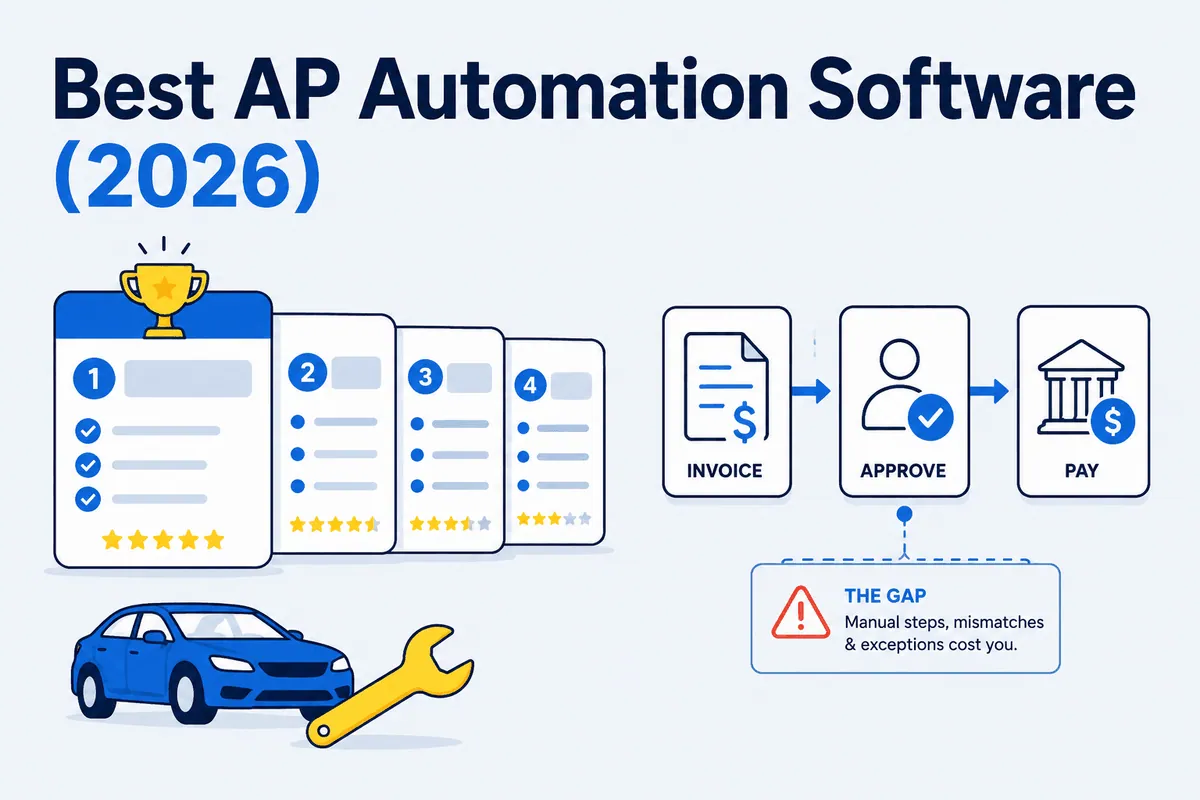
The best AP automation software runs the full accounts-payable cycle so invoices stop piling up on someone’s desk. There are four jobs, and a good platform does all four:
- Capture — pull the invoice in from email, a portal, or a scan, and read the line items with AI/OCR instead of hand-keying.
- Code — match each invoice to the right vendor, GL account, PO, or cost center automatically.
- Approve — route it through the right people on the right thresholds, with an audit trail.
- Pay — issue ACH, card, check, or wire, then sync the whole thing back to QuickBooks, Xero, or NetSuite.
Do those four well and you cut AP labor, kill late fees, and catch early-pay discounts. That’s the promise, and the platforms below deliver it at real scale.
Key features to look for
Not every tool is strong at all four jobs. Score your shortlist against the criteria that match your actual pain:
- AI capture accuracy — how little hand-correction the OCR needs on a messy 30-line parts invoice, not a clean one-line utility bill.
- Approval routing — multi-step, multi-entity, dollar-threshold rules if you run more than one location.
- Accounting sync depth — one-way export versus true two-way sync with QuickBooks or NetSuite.
- Payment breadth — ACH, card, check, and international/multi-currency if you buy across borders.
- Spend controls — corporate cards, budgets, and real-time policy enforcement.
- Total cost honesty — per-transaction fees and implementation, not just the “starting at” number.
- Does it reconcile what you bought against what you actually sold? Almost none do. Hold that thought.
Quick comparison table
Ratings and prices below are estimates compiled from public 2026 sources — confirm current numbers with each vendor before you buy.
| Software | Best For | Starting Price (est.) | Unique Differentiator |
|---|---|---|---|
| Ramp | AI AP + spend management | Free; paid ~$15/user/mo | AI agents handle coding, fraud, approvals, payment |
| BILL | AP + AR for SMBs | ~$45–$55/user/mo | Covers both sides of the ledger in one platform |
| Stampli | Invoice collaboration | Quote-based | Approver seats aren’t billed separately |
| Tipalti | Global / mass payments | ~$99/mo+ | Built-in tax compliance + 200+ countries |
| AvidXchange | Mid-market, check-heavy verticals | Quote-based | Large AvidPay supplier-payment network |
| Brex | Card-first finance OS | Free; $0/user | Bundles FDIC-insured business banking |
| Airbase | Mid-market w/ POs | Quote-based | True three-way PO matching built in |
| Melio | Simple SMB bill pay | Free; paid ~$25–$55/mo | Pay any vendor by card, even check-only ones |
| Yooz | Full purchase-to-pay | Quote-based | All-inclusive pricing, unlimited users |
The best AP automation software in 2026, ranked
Here’s the best AP automation software in 2026, ranked by who each one genuinely serves best. There’s no universal winner — the right pick is the one that matches your bottleneck.
1. Ramp — Best overall for AI-driven AP and spend management
Best for: Small and mid-size businesses that want modern, automation-first AP plus corporate cards and expense management in one place.
Unique differentiator: Ramp runs the AP cycle with a set of AI agents that handle coding, fraud detection, approvals, and card-payment execution — and it pairs all of it with a genuinely free tier, which almost no rival matches.
Pros: Strongest AI in the category; real free entry point; spend management and AP under one roof; clean modern UI; G2 rating around 4.8.
Cons: Best value lands when you also run spend on Ramp cards; less suited to businesses that need AR or heavy international payments.
Pricing (est.): Free core plan; Ramp Plus around $15/user/mo, scaling with team size.
2. BILL — Best for SMBs that need AP and AR together
Best for: Growing small and mid-size businesses that want one mature platform for both paying vendors and getting paid.
Unique differentiator: Where most tools on this list do AP only, BILL covers both accounts payable and accounts receivable in one platform — so the same system that pays your vendors also chases the money owed to you.
Pros: Battle-tested and widely supported by accountants; both sides of the ledger; reliable QuickBooks/Xero/NetSuite sync.
Cons: Per-user pricing adds up; real Year-1 cost (with transaction fees) lands well above the headline rate; the UI feels older than newer rivals.
Pricing (est.): Roughly $45–$55/user/mo for core plans, plus per-transaction fees.
3. Stampli — Best for invoice collaboration
Best for: Teams where invoices stall because approvers, AP, and vendors keep emailing back and forth.
Unique differentiator: Stampli sits on top of your existing ERP setup instead of forcing a rebuild, and — the part that saves real money — approver licenses aren’t billed separately. When a dozen people weigh in on invoices, you’re not paying a seat for each one.
Pros: Kills the email ping-pong around approvals; its AI assistant “Billy” handles capture and coding; strong G2 standing; month-to-month, no long lock-in.
Cons: Quote-based pricing makes budgeting harder; payments are an add-on rather than the core; overkill for very simple AP. See our WickedFile vs Stampli comparison for how it handles shop workflows.
Pricing (est.): Custom, based on size and invoice volume.
4. Tipalti — Best for global and mass payments
Best for: Companies paying many suppliers across countries and currencies — marketplaces, subsidiaries, and operations with real international volume.
Unique differentiator: Tipalti’s tax-compliance engine handles W-9/W-8 collection, TIN validation, and 1099 reporting automatically, and it pays across 200+ countries and territories in roughly 120 currencies — the kind of year-end work that eats whole weeks at scale.
Pros: Handles complexity others can’t; strong supplier-onboarding and tax workflows; scales to high payment volume.
Cons: Higher entry price and implementation lift; far more than most single-country SMBs need.
Pricing (est.): From around $99/mo on the entry plan, with higher tiers quote-based.
5. AvidXchange — Best for mid-market, check-heavy verticals
Best for: Mid-market finance teams in real estate, construction, and HOA management — anywhere vendor payments still lean on checks.
Unique differentiator: The AvidPay Network is one of the largest supplier-payment networks in the category, so vendor onboarding and payment delivery are faster than building those relationships yourself — and AvidXchange plugs into 200+ accounting platforms and ERPs (confirm the exact count for your system).
Pros: Deep vertical specialization; huge supplier payment network; balanced AI-plus-human validation; strong marks for payment and vendor management.
Cons: Year-1 cost (with implementation) can run well into five figures; more payment-centric than collaboration-centric; pricing is quote-only.
Pricing (est.): Quote-based; mid-market deals commonly land around $10,000–$13,000/yr before implementation.
6. Brex — Best card-first finance platform
Best for: Startups and growth-stage companies that want fast setup, corporate cards, and bill pay in one card-first stack.
Unique differentiator: Brex bundles AP with an actual business banking account (Brex Cash, with FDIC insurance well beyond the standard limit) plus global wires and travel — a full finance operating system, not just a bill-pay tool. Worth knowing before a multi-year signature: Capital One completed its acquisition of Brex in April 2026, so it now operates under a major bank’s ownership.
Pros: $0/user entry plan; strong AI for receipt matching and anomaly detection; banking, cards, and AP under one login.
Cons: Bill pay is functional but not a dedicated AP engine for companies pushing hundreds of invoices a month; tilted toward venture-backed and card-first businesses.
Pricing (est.): Essentials from $0/user/mo; higher tiers quote-based.
7. Airbase — Best mid-market platform with purchase orders
Best for: Mid-market companies whose CFO wants purchase orders and three-way matching, not just invoice pay.
Unique differentiator: Airbase brings true three-way PO matching (purchase order, invoice, receipt) into a single platform alongside cards and expense management — the control most card-first tools skip. Note that Airbase is now a Paylocity company (acquired 2024) and is folded into Paylocity’s HR-and-finance suite, which is worth weighing if you don’t run Paylocity for payroll.
Pros: Combines AP, POs, corporate cards, and expense in one place; handles complex approval chains while staying usable; strong fit when procurement controls matter.
Cons: More platform than a small shop needs; all tiers are quote-based; built for mid-market and up.
Pricing (est.): Quote-based across three tiers.
8. Melio — Best for simple SMB bill pay
Best for: Small businesses that just want to pay vendors easily without learning a platform.
Unique differentiator: Melio lets you pay any vendor by credit card — even vendors who only accept checks — while the vendor still receives a check or ACH. That’s a genuine cash-flow timing trick a lot of shops use deliberately.
Pros: Dead simple; low or no monthly cost to start; clean QuickBooks sync; useful card-float move.
Cons: Lighter on approval workflows and multi-entity controls; card payments carry a ~2.9% fee; not built for heavy AP volume. See WickedFile vs Melio for where it fits a shop stack.
Pricing (est.): Free entry plan; paid tiers roughly $25–$55/mo plus some transaction fees.
9. Yooz — Best for full purchase-to-pay
Best for: Finance teams that want to automate the whole flow from purchase requisition through payment, not just invoices.
Unique differentiator: Yooz prices the entire purchase-to-pay platform all-inclusive — unlimited users, workflows, and entities, no per-seat math — with built-in fraud screening on fake invoices and unusual amounts.
Pros: True P2P coverage; predictable all-in pricing; quick to deploy for its category; AI fraud detection baked in.
Cons: More platform than a small shop needs; quote-based, so confirm fit before committing.
Pricing (est.): Quote-based, all-inclusive subscription.
The gap none of these close for auto repair shops
Every tool above is good at its job. They capture, code, approve, and pay — fast, accurately, at scale. But here’s the line that matters if you run an auto repair shop: AP automation pays bills faster; it never tells you whether the bill was right.
A generic AP tool sees a NAPA invoice for $4,200, confirms a human approved it, and pays it. What it cannot see is the other half of the story — the half that lives in your shop management system, not your invoice inbox. It never asks whether the part on that invoice ever got sold on a repair order, whether the core charge was credited back when the old unit went on the truck, whether the return you sent Friday actually posted as a credit, or whether an advisor priced the part off-matrix to close the ticket.
Here’s the opinion I’ll stake my name on: reviewing vendor statements and credits isn’t about distrusting your vendors — it’s about protecting your business. Good vendors still make mistakes. Credits don’t get applied. Statements carry duplicate invoices. And every one of those happens after the invoice is approved and before it shows up anywhere your AP software looks.
We watched this play out at a transmission franchise that started reconciling vendor statements. Almost immediately they found that an employee at one of their vendors had been quietly withholding credits to pad his own department’s numbers. Thousands of dollars that should have come back never did. The owner was furious — he had “Stop the Steal” signs hanging all over his shop, all aimed at his own staff. He’d never imagined the leak was on the vendor side. The lesson wasn’t that vendors are crooks. It was that every dollar deserves verification, no matter which direction it’s flowing.
Worked example — the core nobody credited. Say you run 4 locations doing 60 core-eligible jobs a month each, at an average $75 core. If 20% of those cores never get credited — the old unit went back, the credit never posted — that’s 12 missed credits per shop, 48 across the group, at $75. That’s $3,600 a month, or about $43,200 a year, walking out the door. Your AP automation software approved and paid every one of those invoices on time, exactly as designed. It had no way to know the credit owed back to you never arrived. That’s not a knock on Ramp or BILL — it’s simply not their job. (Figures are illustrative — your core volume, walkaway rate, and average core will differ.)
This is where WickedFile sits. It’s the reconciliation layer between your SMS (Tekmetric, Shop-Ware, Mitchell 1, NAPA TRACS, Protractor, RO Writer), your vendor invoices and credits, QuickBooks, and your bank feed — cross-referencing what you bought against what you sold and what you were credited, then flagging the gaps.
Be clear about what WickedFile is not. It does not pay bills, issue corporate cards, or do AR/invoicing. It is not a generic AP-automation or bill-pay platform, and it will not replace Ramp, BILL, Melio, or QuickBooks. You still need one of the tools above to actually move money. WickedFile just makes sure the money you move — and the credits owed back to you — are correct. For the deeper logic, see why generic AP tools fail auto repair shops and vendor statement reconciliation for auto repair.
How to choose for your situation
Single shop (~$2M revenue). Keep it lean. Ramp’s free tier, Brex, or Melio covers bill pay without a monthly hit. Your bigger exposure isn’t payment speed — it’s uncredited cores and unbilled parts on the thin, single-digit net margin most shops run on. Pay vendors with a free tool; reconcile the parts side separately. Honestly, if a simple habit — uploading invoices daily and checking statements before you pay — closes the gap, do that first. Process beats software.
Multi-location operator / MSO ($8–12M and up). Now both halves matter. You need approval routing and multi-entity controls across locations (BILL, Stampli, Airbase, or AvidXchange earn their keep here), and you need reconciliation that rolls up across every shop — because a 20% core-walkaway rate multiplied by 4, 11, or 40 stores is a five- or six-figure leak no per-location manager will catch by eye. Run a real AP platform for payments and a parts-reconciliation layer on top for margin. Both have to work, or neither one does. Our guide to the best accounts payable software for auto shops digs into that pairing.
For a side-by-side on the bill-pay tools themselves, the Ramp guide to the best accounts payable automation software is a solid generic reference. Then come back and close the gap it doesn’t cover.
The best AP automation software will get your invoices paid faster than ever. Just make sure you’re not paying them faster and wrong — your margin can’t tell the difference, but your year-end will. Compare your options, or book a demo to see what parts-invoice reconciliation catches that your AP tool can’t.
Sources: