
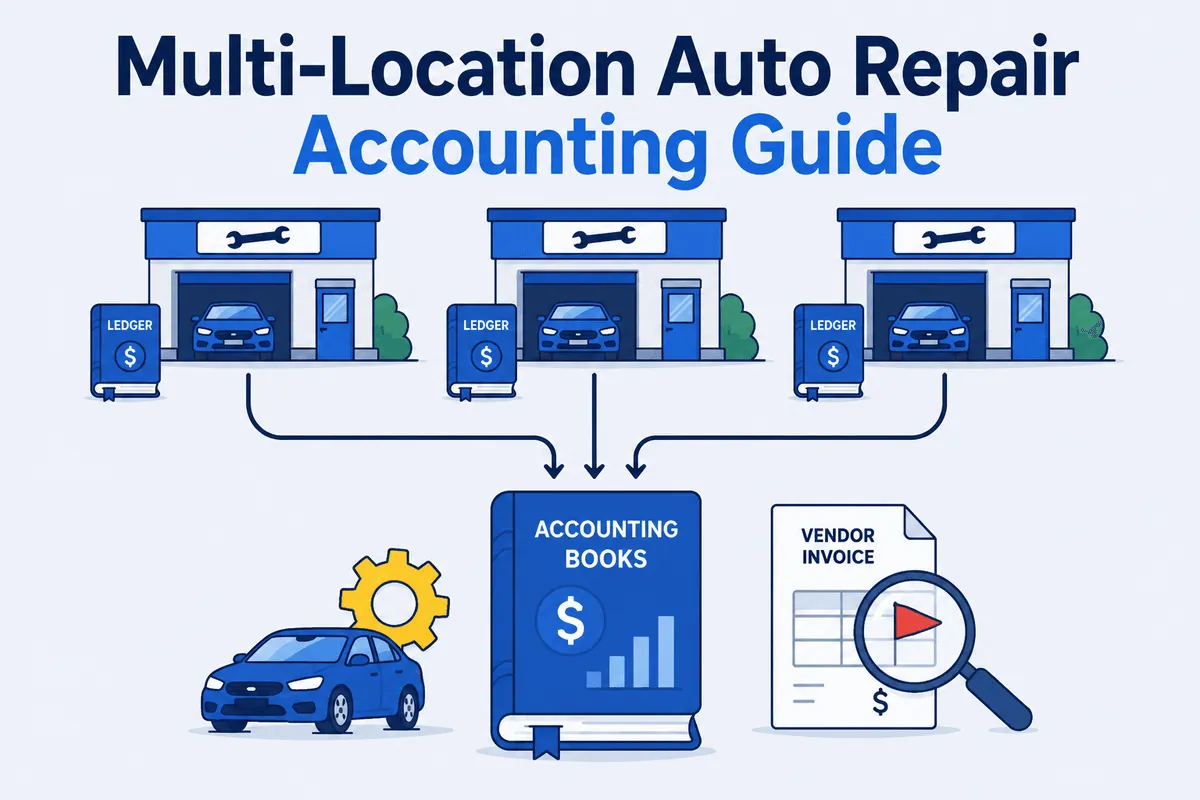

Multi-location auto repair accounting is what happens when one shop’s books grow up, move out, and bring four roommates who all spend money differently. (I grew up in my dad’s shop and I still flinch when someone says “we’ll consolidate it later.”) Run five locations and the question is no longer “did this shop make money.” It is “did the group make money, and which store is quietly dragging the other four into the parking lot.”
That answer lives in two places single-shop bookkeeping never had to reconcile. One is the consolidation layer that rolls every store into one set of statements. The other is the pile of vendor invoices flowing through all of those stores that nobody is auditing.
This guide is for the owner and the multi-shop operator, not the customer in your waiting room. It covers separate-entity versus consolidated books, choosing between QuickBooks Online and Desktop Enterprise for a group, building a chart of accounts that makes consolidated margin real, and the one number your books still cannot verify on their own. If you want the operational side of running a group back office, the multi-location auto repair back office playbook covers close cadence and workflow. This piece is about the accounting.
Five Shops Is Not One Shop Times Five
A single shop has one P&L. A group has a P&L per store, a P&L per legal entity, and a consolidated P&L for ownership and the bank. Multi-location auto repair accounting is the work of keeping all three honest at once. Miss one and you are flying with an instrument you didn’t know was lying.
The first decision is structural: separate entity or consolidated. Most groups run each shop as its own legal and accounting entity. That gives you clean per-location statements, cleaner lending, and real manager accountability. The trade-off is that you now have five sets of books that have to roll up into one. That roll-up is the entire consolidation problem.
The second wrinkle is specific to auto repair. Your two revenue streams, parts and labor, have completely different margin profiles, and they behave differently across stores. Shop 1 might run a 42% parts gross margin while Shop 4 runs 31% on the same vendors. The only way you will ever see that gap is if parts income and parts COGS are tracked in their own accounts at every location. Lump them into a generic “Sales” and “Cost of Goods Sold” and your consolidated report will tell you the group is profitable and tell you nothing about why Shop 4 is bleeding.
Here is the take I’ll defend to anyone who’ll sit still: “We’ve always done it this way” is one of the most expensive phrases in a multi-shop back office. The reports are only as good as the consistency underneath them, and consistency across five independently run shops does not happen by accident. It happens because you forced a uniform chart of accounts and a uniform consolidation method on every store, on purpose, while three managers told you their store was different. (Their store was not different. Their store buys brake pads like everyone else.)
QuickBooks for a Group: Online vs Desktop Enterprise
QuickBooks is the books. Almost every auto repair group runs on it, and that is the right call. The real question for a multi-shop operator is which edition, because they handle multi-entity reporting very differently.
The short version, current as of 2026: QuickBooks Online is one company per subscription and does not consolidate multiple entities natively. To combine multiple QBO companies you use Spreadsheet Sync (available on QBO Advanced) or a third-party consolidation app such as Joiin or LiveFlow. QuickBooks Desktop Enterprise does include built-in combined reporting across separate company files, exported to Excel, but it produces combined totals without automated intercompany eliminations, real-time refresh, or the audit trail statutory consolidated statements require.
Here is how the two stack up for a group:
| Capability | QuickBooks Online | QuickBooks Desktop Enterprise |
|---|---|---|
| Native cross-entity consolidation | No — one company per subscription; needs Spreadsheet Sync (Advanced) or a third-party app | Built-in combined reporting across company files (Excel output) |
| Intercompany eliminations | Via third-party app (Joiin, LiveFlow) | Not automated in native combined reports |
| Cloud / multi-user access | Strong — built cloud-native, managers and bookkeepers anywhere | File-based; cloud requires hosting |
| SMS sync (Tekmetric, Shop-Ware, Mitchell 1, NAPA TRACS, Protractor, etc.) | Broad app-based integrations | More limited; often via import or middleware |
| Inventory depth | Lighter | Stronger (Advanced Inventory) |
| Typical fit | Groups wanting one cloud system for every store plus a consolidation app | Groups with heavy inventory needs willing to manage files |
Pricing for the consolidation apps and editions changes often; treat any specific dollar figure as illustrative and confirm current Intuit and vendor pricing before you commit. The capability columns above are current as of 2026.
For most growing groups, the practical answer is QuickBooks Online plus a consolidation layer, because you want every manager and bookkeeper in the same system from anywhere. Groups with serious parts-inventory complexity lean toward Enterprise. Intuit’s QuickBooks Desktop Enterprise product page documents its combined-reporting and inventory features. Either way, you can get QuickBooks itself dialed in for a shop with the QuickBooks best practices for auto repair shops guide. If you are still choosing a platform at all, start with the best accounting and bookkeeping software for auto repair breakdown. And for the groundwork every one of these stores is built on, the fundamentals of automotive accounting is the primer worth grounding yourself in before you scale it across five stores.
Get the Chart of Accounts Right or Nothing Above It Is True
Consolidation fails before it starts if the chart of accounts is inconsistent. This is the single most important decision in multi-location auto repair accounting, and it is boring, which is exactly why most groups get it wrong. (Nobody ever bragged at a 20-group about their account numbering. They should.)
The rule is simple. Build one master chart of accounts and deploy it identically to every location. An account that exists in Shop 1 must exist with the same number and the same meaning in Shop 5. The moment Shop 3’s bookkeeper invents a “Misc Parts” account no other store has, your consolidated parts margin is wrong and you will not know it. Misc is where money goes to disappear without a forwarding address.
For a group chart of accounts, the structure that makes consolidated margin real looks like this:
- Income (4000s): Parts Income and Labor Income as separate accounts, plus Sublet Income and Shop Supplies Income. Never one blended “Sales” line.
- Cost of goods sold (5000s): Parts COGS and Labor COGS tracked separately, matching the income split, plus Sublet COGS and a Core Charges / Core Credits pair.
- Liabilities: A Core Charge Liability account so deposits owed back to vendors stay visible, and a Vendor Credits Receivable account so credits you are owed do not vanish.
- A location dimension: class tracking, location tracking, or separate files, so the group rolls up by store cleanly.
Get parts and labor split correctly at every location and consolidated gross margin by revenue type becomes a real number you can manage. Skip it and you are managing a blended average that hides your worst shop behind your best one. Multi-entity bookkeeping for auto repair is mostly the discipline of keeping these accounts identical across stores so consolidated reporting actually means something.
The Number Your Consolidated Books Still Can’t Verify
Here is the part no chart of accounts fixes. Even with a perfect uniform COA and clean consolidation, your books record what the vendor invoice said you owed, not what you actually owed. QuickBooks enters the bill total. It has no idea the invoice overcharged you, double-billed a brake kit, or never credited the core you returned three weeks ago. Bold strategy, billing you twice for the same alternator. Bolder still that it works, because those errors live on the line items of paper and PDF invoices that never enter QuickBooks line by line.
Accounting software doesn’t verify reality. It records what gets entered. Two leaks dominate at the group level: vendor overbilling (price discrepancies against agreed pricing, duplicate charges, parts billed that were returned) and unreturned core charges (deposits you paid the vendor and never got credited back). In one shop a sharp manager might catch some of it. Across five shops, nobody sees every vendor statement, so the misses compound and roll straight into your consolidated P&L as inflated COGS. Your margin looks worse than your operation actually is, and you cannot tell whether Shop 4’s bad number is a real operating problem or just uncredited cores hiding in the books.
Here is the math, illustrative, for a five-store group:
Vendor overbilling. Say each shop processes roughly $90,000/month in parts purchases across its vendors. A conservative 0.75% error rate from price discrepancies, duplicate lines, and returned-but-billed parts is $675 per shop per month. Across 5 shops: $3,375/month, or about $40,500/year flowing into consolidated COGS as money you never actually owed.
Unreturned cores. Say each shop does 50 core-eligible jobs a month, with a 15% walkaway rate where the core deposit is never credited back, at an average $70 core. That is 50 × 15% × $70 = $525 per shop per month. Across 5 shops: $2,625/month, or about $31,500/year in deposits sitting uncredited. Cores don’t come back on their own; they are not homing pigeons.
Combined: roughly $72,000 a year the group is overpaying, none of it visible on a consolidated P&L, because the books only ever saw the invoice totals.
Adjust the inputs to your own numbers and the point holds. On the single-digit net margins typical of auto repair (see this auto repair shop profitability breakdown), $72,000 of phantom COGS is not a rounding error. It is real profit, and it is invisible to consolidation, because consolidation only adds up what the books already contain.
I’ll tell you who learns this the hard way. One transmission franchise started reconciling vendor statements and found an employee at one of their vendors had been withholding credits to pad the vendor’s own department numbers. Thousands of dollars that should have come back never did. The owner was furious — he had “Stop the Steal” signs hanging in his shop because he was so focused on internal theft. He never imagined the money was leaking on the vendor side, on invoices his books recorded as paid in full. Trust your people. Verify your invoices. The two deep dives on vendor statement reconciliation for auto repair and vendor overbilling in auto repair go further on each leak, and core charges and profit leakage covers the cores side in detail.
Where Reconciliation Sits in a Multi-Entity Stack
Picture the data flow for a group. Your SMS (Tekmetric, Shop-Ware, Mitchell 1, NAPA TRACS, Protractor, Fullbay, RO Writer) records the job. Your vendor invoices record what you were charged. QuickBooks records the bill total. Your bank feed records what cleared. Each system is honest about its own slice, and not one of them checks the others. It is the back-office version of four witnesses who each saw a different part of the accident.
WickedFile is the reconciliation layer that sits between them. It reads the vendor invoices line by line against your SMS purchase data and surfaces the overbills and uncredited cores before those totals roll up into your consolidated books. Across five entities, that is the only practical way to audit every vendor statement, because no human is reading all of them and the ones who try burn a week of month-end doing it.
Be clear about what WickedFile is not, because the stack only works if every piece stays in its lane. It is not accounting software — it does not replace QuickBooks, and it does not produce your financial statements. It is not bill-pay — it does not move money, cut checks, or issue cards. It is not accounts receivable — it does not invoice your customers, and it is not your shop management system. It does one thing: it audits the vendor invoices feeding your payables so the numbers that hit your consolidated P&L are the numbers you actually owe. The books belong to QuickBooks. The consolidation belongs to QuickBooks plus a consolidation app. The reconciliation belongs to a layer built for it. The deeper case for that division of labor is in why generic AP tools fail auto shops.
For a group, the stack is the answer. QuickBooks (Online with a consolidation app, or Desktop Enterprise) gives you consolidated reporting. A uniform chart of accounts makes that reporting real. And a reconciliation layer makes sure the COGS being consolidated is true. Skip the last step and you are consolidating clean-looking statements built on vendor invoices nobody verified — which is just lying to yourself in five-part harmony. Both have to work, or neither one does.
Want to see what the vendor-invoice audit surfaces across your group before it hits the consolidated books? Book a demo — and yes, you will probably get a parts pun thrown in at no extra charge.