
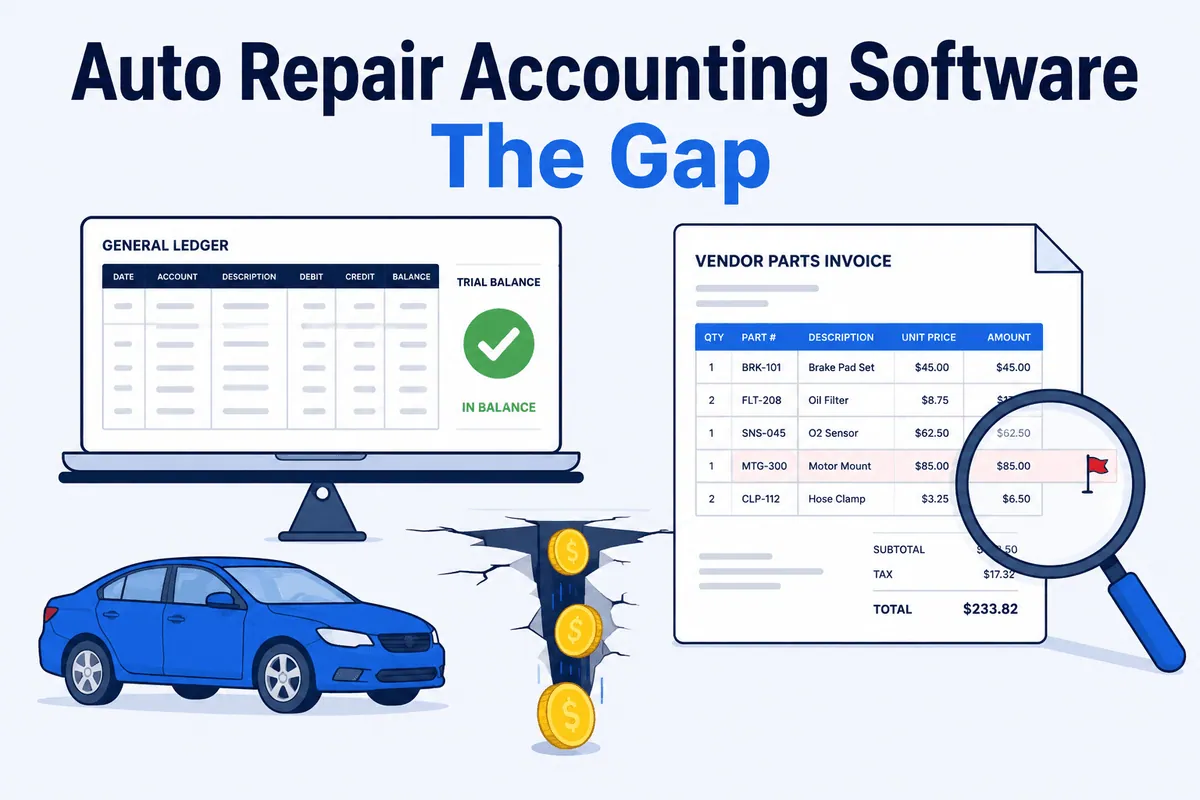

Your auto repair accounting software has never once lied to you. It also can’t tell you the truth, because it doesn’t know it — it only knows what you typed in. (That’s not a knock. My toddler knows what I typed in too, and she has fewer features.) Your books balance, your P&L prints, your bank feed reconciles to the penny, and somewhere between $8,000 and $40,000 a year is still walking out the back through your parts margin.
This is the diagnostic piece, written for the owner and the multi-location operator, not the consumer. It does two things. First, it walks the real accounting options shops actually run — QuickBooks Online, QuickBooks Desktop, Xero, Sage 50, and outsourced bookkeeping services — and what each is genuinely good at. Then it shows the one thing none of them was ever built to do.
Read it in six minutes. Audit it on your own books this week.
What Auto Repair Accounting Software Is Actually For
Let’s be fair to the tool, because the argument depends on respecting what it does well. Accounting software is the system of record for your money. It produces a real P&L and balance sheet, tracks AP and AR, runs payroll, handles sales tax, and reconciles your bank and card feeds so the cash in the books matches the cash in the account. A shop with messy books is flying blind in a worse way.
What it is not is a shop management system. Your SMS runs the counter; your accounting software runs the ledger. If that distinction is fuzzy, the QuickBooks setup practices we cover here sort out which job belongs where, and how automotive accounting actually works covers the practice underneath the software from the chart of accounts up. For now, here are the platforms shops actually choose, with the honest version of each.
QuickBooks Online — the default, and usually the right one
QuickBooks Online is the de facto standard for independent shops, and it earns it. Your accountant already speaks it. Nearly every shop management system and bank feed connects to it. It’s cloud-based, so the owner, the bookkeeper, and the CPA can all be in it at once without mailing a backup file around like it’s 2009.
For a shop choosing today, this is the answer nine times out of ten. The one honest caveat: QBO’s built-in inventory is light. Most shops handle parts in the SMS and let QBO carry the financials, which is fine — just don’t expect it to manage your bin counts.
QuickBooks Desktop — fading, but not gone
Some shops still run Desktop on purpose for its deeper reporting and stronger built-in inventory. Respect. But the runway is short. Intuit stopped selling new Desktop Pro, Premier, and Mac subscriptions in 2024, and support for older versions is sunsetting on a schedule — bank feeds, payroll, and security updates eventually stop working. If you’re a new setup, don’t start here. If you’re already on it, the question is when you migrate to Online, not whether.
Xero — the real alternative
Xero is the most credible non-Intuit option for a shop. It includes unlimited users on every plan, which a growing group feels immediately, and it connects to a large app ecosystem. Its bank reconciliation and interface get genuine praise. The trade-off: inventory is basic (average-cost only, no multi-location stock), so like QBO it leans on your SMS for parts. If you want off the Intuit treadmill, this is the one worth a look. For a fuller side-by-side, our accounting and bookkeeping software guide for auto repair goes deeper.
Sage 50 — when you want heavier inventory in the books
Sage 50 is the pick for a shop that genuinely wants inventory and job costing living inside the accounting system rather than the SMS — it supports FIFO and LIFO costing, reorder points, and assemblies. That depth is real. It’s also priced by number of users, so the bill climbs as your back office grows. For most repair shops the SMS already owns parts, which makes Sage’s biggest strength redundant — but if your operation is parts-heavy and you want one place for the numbers, it’s a legitimate choice.
Outsourced auto-repair bookkeeping services
Plenty of groups skip running the software themselves and hire a service that specializes in auto repair — firms that do monthly close, statement reconciliation, and reporting on QuickBooks on your behalf. Done well, this buys you a back office without hiring one, and a specialist who’s seen a hundred shops’ books. It’s a real option, especially for an owner who’d rather fix cars than chart accounts. One thing to keep straight: outsourcing the bookkeeping doesn’t outsource the gap. A great service still records the invoices it’s handed. It can’t credit you for a core the vendor never refunded.
Accounting Software Doesn’t Verify Reality
Here’s my one strong opinion, and every platform above shares the same blind spot: accounting software records what gets entered. It doesn’t verify reality.
Double-entry accounting is a closed loop. Every debit needs a matching credit, so the books always balance — that’s the entire design. Balancing proves the entries are internally consistent. It does not prove they’re true. If WORLDPAC quotes you a brake caliper at $84 and bills $97 three days later, and that $97 flows into your accounting software, the books balance perfectly around a number that’s $13 too high. Cost of goods sold goes up, margin goes down, and nothing throws a flag, because $97 paid equals $97 owed. The math is right. The economics are wrong.
Your accounting software is a faithful recorder, not an auditor. It answers “do the books balance?” It cannot answer “is this what actually happened at the parts counter?” Those are two different questions, and the second one is where your margin lives. The vendor invoice — the document that holds the truth — never enters the ledger at the line level. Your SMS doesn’t hold it either. It sits in an email, a PDF, or a stack on the counter, unaudited. That’s the gap.
It’s the same reason a return is not done when you box the part up. A return is done when the credit posts. We call the space between those two moments the return-and-forget loophole, and accounting software lives entirely on the wrong side of it — it sees the original charge, never notices the credit that didn’t come.
The Gap, in One Story
A transmission franchise we work with started reconciling their vendor statements line by line. Almost immediately they found something nobody expected: an employee at one of their parts vendors had been quietly withholding credits to pad his own department’s numbers. Thousands of dollars the shop was owed simply never came back.
Here’s the part that sticks. The owner had “Stop the Steal” signs hanging throughout his shop — he was laser-focused on employee theft. He never imagined the money was leaking out the vendor side, in plain sight, on statements his perfectly clean books accepted without a blink.
The lesson isn’t that vendors are crooks. The vast majority aren’t. The lesson is that every dollar deserves an explanation, no matter which direction it’s coming from — and no accounting platform, on any of the five paths above, was built to ask for one. Trust your people. Trust your vendors. Verify the invoice.
Quick Table: SMS vs Accounting Software vs Reconciliation Layer
Three systems, three jobs. The trap is assuming that running the first two covers the third. Here’s who actually sees what.
| What needs checking | Shop Management System | Accounting Software | Reconciliation Layer |
|---|---|---|---|
| Repair orders, scheduling, parts ordering | Yes | No | No |
| General ledger, P&L, payroll, AP/AR | No | Yes | No |
| Bank / card feed reconciles to the books | No | Yes | No |
| Vendor invoice matched line-by-line to the order | No | No | Yes |
| Core charge tracked through to the vendor credit | Partial (on the RO) | No | Yes |
| Overbills and duplicate vendor charges flagged | No | No | Yes |
| Off-matrix and discounted lines surfaced as lost margin | Partial (reports if read) | No | Yes |
The SMS records what happened at the counter. The accounting software records the financial result. Neither one audits the vendor invoice against the RO — and that’s the column where the leaks live. A reconciliation layer is the only one of the three that reads the invoice itself.
How to Test Whether Your Books Are Missing Money This Month
You don’t need software to run this audit. You need one hour and last month’s parts invoices. Here’s the test.
- Pull 20 random vendor invoices from last month. For each line, find the original quote or order in your SMS and confirm the billed price matches. Tally every difference. Repeat overbills are vendor overbilling, not bad luck.
- List every core charge you paid in the period, then find the matching credit on the vendor statement. Any core charge with no matching credit is cash you’re owed and haven’t collected — more on that in our core charges deep dive.
- Check returns. Pull the parts you sent back and confirm a credit memo posted for each. The ones that didn’t are draining your books while the ledger sits balanced.
- Spot-check 10 high-value parts lines against your matrix. Were they priced where the matrix said? Note the gap on the ones that weren’t.
Now the back-of-envelope math, and label it illustrative — run it on your own numbers. Say you push 200 parts lines a month, find errors on a conservative 2% of them, and the average miss is $40. That’s 4 bad lines × $40 = about $160 a month, per shop — roughly $1,900 a year you’ll never see in QuickBooks, because every one of those lines balanced. For the full version of step two, our vendor statement reconciliation guide walks the whole process. Two percent feels small until you annualize it.
The Multi-Location Amplifier
Here’s why this matters most if you run a group. At one shop, $160 a month is annoying. Across eleven shops on the same math, it’s about $1,760 a month, or roughly $21,000 a year — and that’s before cores and matrix drift, which push most groups we audit into the $8,000–$40,000 range annually.
The amplifier isn’t just multiplication. Every location runs its own counter habits, its own parts houses, its own advisor discipline, so the leaks differ store to store while compounding at the group. Your consolidated accounting setup rolls eleven balanced ledgers into one balanced statement — which means it rolls eleven blind spots into one bigger blind spot. A regional pattern, like one parts house overbilling three of your stores, hides perfectly inside a clean consolidated P&L. The bigger the group, the more the gap is worth, and the harder it is to spot by eye.
It’s also why generic AP tools don’t close it for shops: bill-pay platforms move the money faster, but they still trust the invoice — they don’t read it against the RO. Closing the gap takes a true parts-invoice reconciliation layer, which is a different category from both your books and your bill-pay.
To be clear about what fills the gap: WickedFile is not your accounting software and not a bill-pay platform. It does not run your general ledger, file your taxes, run payroll, process payments, issue cards, or replace QuickBooks, Xero, or Sage. It’s the reconciliation layer that sits between your SMS, your vendor invoices, and your accounting — it reads the invoices and credits your books never see at the line level, matches them against the RO, and flags the gaps. You keep your accounting software. You keep your SMS. You add the audit neither one performs.
Your books balancing was never the question. Whether the balanced numbers are true is. Book a demo and we’ll run the audit on your own invoices. For the wider picture, both the Ratchet+Wrench breakdown of net profit margins and the IBISWorld auto mechanics industry data make the same point a different way: in a thin-margin business, the dollars you don’t see are the ones that decide the year.