
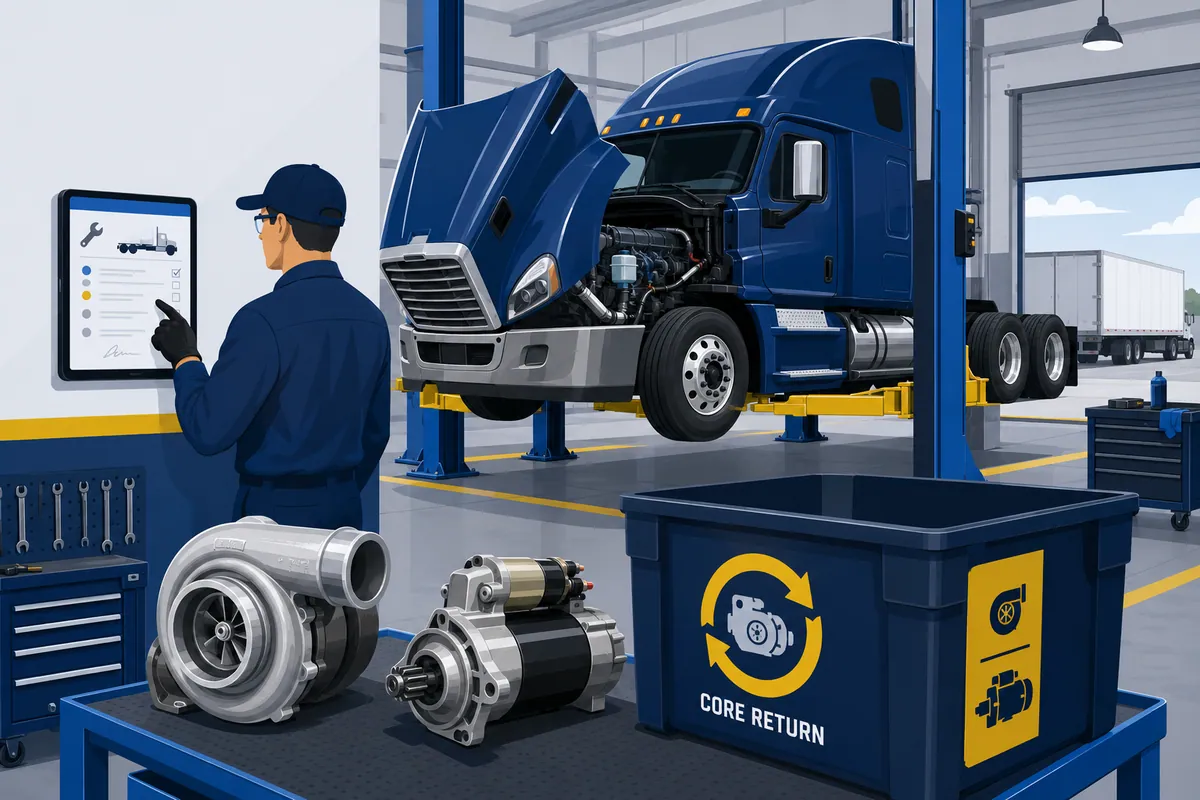

Buying truck shop management software is a lot like sizing a clutch for a loaded tractor: get it wrong and the whole thing slips under load, usually on the worst possible grade. (My wife says comparing software to a clutch is “not normal dinner conversation.” I maintain it is exactly normal dinner conversation.) You are shopping for heavy-duty work orders, preventive maintenance by engine hours, DVIR intake, fleet billing, and DOT compliance all at once, and the platform that nails four of them tends to fumble the fifth.
This is a buyer’s guide for the heavy-duty shop owner and the multi-location truck group. Not for the fleet driver pricing out a PM. It covers what truck shop management software is, the features that matter when diesels and trailers are the work, seven real platforms worth a shortlist, what a truck group needs that a single shop does not, and the one gap that widens with every location you open.
Read it in five minutes. Shortlist in one afternoon.
One thing up front, because honesty wears better than a credibility problem you have to recall later. WickedFile is not truck shop management software. We do not write your work orders, track DVIRs, or manage parts inventory. We are the reconciliation layer that runs alongside whatever you pick. More on exactly where that fits at the end.
Truck shop management software is built for the thing that makes heavy-duty hard
Truck shop management software is the operating system for a heavy-duty or diesel repair business. It writes work orders for tractors, trailers, and the odd reefer unit, schedules technicians and bays, tracks preventive maintenance, takes in driver vehicle inspection reports, looks up commercial parts and labor times, bills fleet accounts, handles DOT inspection records, and pushes the numbers into your accounting system.
The category overlaps with general auto repair shop management software, but it is not the same animal. It is the same animal towing 40,000 pounds.
A general SMS is built around a passenger-car repair order.
A truck platform is built around the things that make heavy-duty genuinely hard: one ticket that spans a tractor and two trailers, PM intervals measured in engine hours and miles instead of calendar months, fleet customers who approve work through a portal, and federal inspection records that have to survive an audit years later.
Both can technically run a shop that fixes trucks. Only one was designed for it. One thing I’ve learned talking to owners: the platform that fits is the one built around whatever pays your bills, not the one with the shiniest demo.
This is also a different vertical than our tire shop management software guide, which sorts the tire-specific platforms. Same shape of decision, completely different tools.
The features that separate a fit from a daily fight
Skip the feature matrix that looks identical across every vendor brochure. In heavy-duty, a handful of capabilities decide whether the platform earns its keep or slows down every bay.
- Heavy-duty work orders that hold a whole rig. One ticket should carry the tractor, the trailers, and any add-on equipment, with unit numbers and VINs attached, so a fleet job does not become five tickets and a headache.
- Preventive maintenance by engine hours and miles, not just the calendar. A truck PM schedule lives on mileage, engine hours, and PTO time. A platform that only does “every 90 days” was built for a sedan.
- DVIR intake that becomes a service request. When a driver flags a defect on a driver vehicle inspection report, the good platforms turn that into a work order automatically instead of leaving it on a clipboard in a truck.
- Commercial parts and labor data. All-makes labor times, wiring diagrams, and a heavy-duty parts catalog that knows the difference between an air dryer and an air bag, ideally without leaving the work order.
- Fleet and customer portals. Fleet customers want to approve estimates, see status, and pay online. A portal that does approvals and ACH gets you paid faster than a stack of faxed POs.
- DOT and 49 CFR Part 396 records. Federal rules under 49 CFR Part 396 govern inspection, repair, and maintenance records, including DVIR retention and periodic inspection documentation. A platform that stores and produces those on demand saves you during an audit.
- Commercial and fleet billing. National accounts, multi-unit invoices, and fleet billing terms are not optional extras in heavy-duty. They are most of the AR.
- Accounting integration. A clean sync to QuickBooks so you are not keying everything twice like it’s a paper ledger in a steno pad.
- Parts and core vendor invoice reconciliation. This is the one almost nobody does well. Matching each vendor invoice line against what you received, sold, or returned for core credit is a different job from recording the order, and it is where margin slips out the bay door. We come back to it.
Seven heavy-duty and diesel platforms worth a shortlist in 2026
Here is the shortlist: systems built for heavy-duty, diesel, and trailer work, plus one fleet maintenance platform dropped in deliberately so the dividing line is impossible to miss. Features below reflect each vendor’s mid-2026 capabilities. Pricing in this category is mostly quote-based and runs roughly from the low-$60s per month at the small end up past $200+ per month depending on users and plan, so treat any number here as a label, not a quote, and confirm it with the vendor directly.
| Software | Maker | Best For | Standout Feature |
|---|---|---|---|
| Fullbay | Fullbay | Heavy-duty and diesel shops with real fleet account volume | DVIR-to-work-order automation plus deep MOTOR parts and labor data inside the ticket |
| ShopView | ShopView | Truck and trailer shops wanting one ticket for the whole rig | A single work order that holds tractors, trailers, and extra equipment together |
| Mitchell 1 Manager SE Truck Edition | Mitchell 1 (Snap-on) | Shops that want all-makes truck repair data wired into the SMS | Tight pairing with TruckSeries repair data and the FinditParts HD catalog |
| Karmak Fusion | Karmak | Large parts-and-service dealers and multi-location groups | Full dealer management system unifying parts, service, accounting, and lease/rental |
| Easy Truck Shop | Easy Truck Shop | Smaller and mobile heavy-duty shops wanting a lean, modern tool | QR-code parts identification and drag-and-drop scheduling in a mobile-first build |
| Torque360 | Torque360 | Independent truck shops wanting an all-in-one with marketing tools | Repair workflow bundled with CRM and customer-acquisition features |
| RTA Fleet360 | RTA | Fleets maintaining trucks they own (not billing outside customers) | Per-asset PM scheduling and fleet maintenance built for the fleet, not the repair counter |
Fullbay
Fullbay is a cloud platform built specifically for heavy-duty truck and diesel repair shops, and it leans hardest into fleet accounts. Its tell is the DVIR-to-work-order pipeline. When a fleet’s driver vehicle inspection reports flag defects, Fullbay can turn those into service requests automatically, so the work that needs doing does not die on a clipboard. It carries MOTOR database integration for parts cross-reference, labor times, and wiring diagrams inside the work order, plus fleet customer portals and DOT compliance tracking. Public pricing has been reported starting around $188 per month for a basic single-user plan, with charges for added users; confirm current numbers with Fullbay before you sign.
ShopView
ShopView is a heavy-duty shop management platform whose standout is how it handles a whole rig. You can create a single work order that includes the tractor, the trailers, and additional equipment on one ticket, which matches how heavy-duty work actually arrives. It covers drag-and-drop scheduling against technician and bay availability, parts tracking across multiple locations with automated reordering, labor time tracking that feeds invoicing and payroll, and a customer portal with ACH and card payment to shorten the time from repair to deposit. If your tickets routinely span more than one unit, this is a natural test.
Mitchell 1 Manager SE Truck Edition
Manager SE Truck Edition, from Mitchell 1 (a Snap-on company), is the choice when you want repair data and shop management wired together. Its differentiator is the pairing with TruckSeries, Mitchell 1’s all-makes medium- and heavy-duty repair information, plus the FinditParts heavy-duty catalog with millions of SKUs. You get the work-in-progress dashboard, scheduling, customer engagement, and reporting on the management side, and instant access to diagnostics, labor times, and wiring diagrams on the information side. For a shop that values deep, all-makes repair data living next to the work order, this is the fit.
Karmak Fusion
Karmak Fusion is the heavyweight on this list, and it is a full dealer management system rather than a lean repair SMS. Its differentiator is scope: Fusion unifies parts, service, accounting, sales, and lease or rental into one system of record, with financial data flowing from operational activity straight into the general ledger. It is built for commercial transportation dealers and large parts-and-service operations that need role-based controls and real financial rigor across departments. If you are a sizable group running parts, service, and rental under one roof, this is the kind of platform built for your scale. If you are a two-bay independent, it is more truck than you need.
Easy Truck Shop
Easy Truck Shop is the lean, modern entry, built to simplify heavy-duty workflows without a thick implementation. Its tell is a mobile-first design with practical touches: QR codes for fast part identification and inventory updates, a drag-and-drop scheduler, automatic retail pricing to protect margin, Stripe payments, and a QuickBooks sync. It serves truck repair shops, heavy-equipment and farm-equipment service, and internal fleet maintenance. For a smaller or mobile heavy-duty operation that wants something quick to live in, it earns a look.
Torque360
Torque360 is an all-in-one truck repair platform that bundles the shop workflow with customer-acquisition tools. Its differentiator is the marketing and CRM layer sitting alongside work orders, estimates, invoicing, and scheduling, aimed at independents who want to manage repairs and chase new business from the same tool. If your bottleneck is bays sitting empty as much as it is workflow, the built-in CRM angle is the reason to test it.
RTA Fleet360, and the line you should not cross by accident
RTA Fleet360 is on this list on purpose, as the cautionary line. RTA is fleet maintenance software, not a repair SMS. Its strength is per-asset preventive maintenance: every truck gets its own PM schedule that triggers service when mileage or hours come due, with work orders, parts, fuel, and analytics centralized for the fleet you own. That is exactly right if your main customer is your own fleet. It is the wrong tool if outside trucks pay your bills, because it bills maintenance for owned assets, not customers. Same idea applies to Fleetio, which is also fleet maintenance, not a repair SMS. Know which side of that line you are on before you buy.
What pays your bills decides the truck shop management software you need
The choice comes down to one honest question. What pays your bills?
If you repair other people’s trucks, you want a repair SMS: Fullbay, ShopView, Manager SE Truck Edition, Easy Truck Shop, Torque360, or Karmak Fusion at the larger end. These are built to write work orders, bill fleets, and turn bays for profit.
If you maintain trucks you own, you want fleet maintenance: RTA or Fleetio. These are built to keep your own assets running at the lowest cost, not to invoice a customer. Buy a repair SMS to run a private fleet and you will fight it every day. Buy fleet maintenance to run a repair shop and you will not be able to bill anyone.
Within the repair-SMS group, the deciding feature is the one you touch fifty times a day. Heavy fleet-account volume points to Fullbay’s DVIR pipeline. Whole-rig tickets point to ShopView. All-makes repair data points to Manager SE Truck Edition. A big parts-and-service-and-rental operation points to Karmak Fusion.
There is no universally right answer. But every repair platform on this list carries the identical blind spot once the work order closes. Each one tracks the order and the sale just fine. Not one of them re-opens the vendor invoice to confirm you were billed for exactly what showed up on the dock. That is not a flaw in any of them. Checking the bill was never the job they signed up for.
A multi-location truck group needs more than a good work order
A single shop owner can mostly eyeball the parts counter and trust their gut. A multi-location truck group cannot, and the requirements change with the location count.
- Centralized, comparable reporting. One dashboard to compare work orders, parts, margin, and technician productivity across every shop. This is the biggest reason groups outgrow basic systems, and it is exactly what the enterprise tiers and a DMS like Karmak Fusion are built to do.
- Pricing standards that actually hold. Setting a parts and labor matrix is the easy half. Holding realized margin to it, shop by shop, is the half that leaks. We cover the mechanics in standardizing parts pricing across locations.
- A real back office. Centralized AP, consolidated books, and a process that does not need a new hire every time you open a location. See the multi-location auto repair back office.
- Many vendors, many invoices, one truth. Heavy-duty parts and cores are expensive, and a six-shop group buying from a dozen suppliers each generates a flood of invoices, credits, and core charges. No truck platform tracks that flood to the dollar.
That last bullet is where the heavy money hides. It earns its own section.
Your truck platform records the order. It does not check the bill.
Here is my one strong opinion, and I will back it with numbers in a second: your truck shop software records the order, but nobody is checking the bill, and that gap quietly costs a heavy-duty group more than any feature on a comparison chart will ever save it.
Your truck SMS logs what you ordered and what you sold. What it never does is crack open each vendor invoice and walk the lines against what actually arrived, what went back, and what was credited. That comparison work is parts-invoice reconciliation, a discipline of its own. For a primer, see our guide to invoice reconciliation software.
Here is where it bites a truck group specifically, and heavy-duty makes every one of these worse, because the parts are expensive and the cores are big.
- Core charges that never come back as credit. Heavy-duty cores are not cheap. A remanufactured diesel engine, a turbo, a transmission, a brake shoe set all carry core charges that should be credited when the old unit goes back. The old core physically ships out, the credit is promised, and then it never lands on the statement. A core charge is a loan you made the vendor; somebody has to collect it back. We break this one down in uncredited cores and credit leakage.
- Warranty and return credits that evaporate without a trace. A defective part goes back under warranty, the credit is promised, and across six shops and a dozen vendors it is nobody’s specific job to confirm it posted.
- Billing errors hiding in the volume. When you buy expensive heavy-duty SKUs all month, a vendor’s price error or double-bill blends right in. A wrong $40 on a passenger-car part sticks out; a wrong $400 on a reman injector set looks like Tuesday.
A quick worked example, labeled plainly: these are illustrative figures, not a forecast of your shop’s actual numbers.
Say a 5-location truck group processes 25 credit-eligible events a month per shop. Cores, warranty returns, parts returns. Heavy-duty cores and returns run larger than passenger-car ones, so call the average value $120. Suppose 12% of those credits never post.
That is 25 x 5 x 0.12 = 15 missed credits a month. Times $120, that is about $1,800 a month. Call it roughly $21,600 a year walking out the bay door. And not one line of it shows up as a problem in the truck platform, because the platform thinks the order closed just fine.
The leak was sitting in the paperwork the whole time, and in heavy-duty the paperwork weighs more.
Where WickedFile fits alongside your truck platform
Here is exactly what WickedFile does and does not do, stated up front so nobody is surprised later.
WickedFile is not a truck shop management system. It is not a DMS, a POS, or an inventory system. It does not write work orders, schedule technicians, track DVIRs or 49 CFR Part 396 records, manage parts stock, run a fleet portal, look up labor times, process payments, or replace Fullbay, ShopView, Manager SE Truck Edition, Karmak Fusion, Easy Truck Shop, Torque360, RTA, or QuickBooks. If you do not have a truck platform yet, WickedFile is not your first purchase. Go pick one of the systems above first.
What WickedFile is: the accounts-payable and parts-invoice reconciliation layer that runs between your truck SMS, your vendor invoices, and QuickBooks. It reads every vendor invoice, matches the lines against what you purchased, sold, and returned, and surfaces the missed credits, billing errors, and uncredited cores your truck platform never sees. It will not run your shop. It defends the margin your shop earns.
For a heavy-duty group with big parts and core spend across several locations, that is the difference between a dashboard that looks clean and books that actually are. Choose the platform that fits what rolls through your bays. Then close the back-office gap that every option here leaves open. For the bigger picture on the tools a shop actually runs, see our overview of automotive software and our roundup of the best auto repair software tools.
See how WickedFile compares to general AP tools, or book a demo to see what it finds on your own vendor invoices. Pick the right truck platform first. Then go collect the core credits that have been ghosting you, because a turbo core does not ship itself back.