
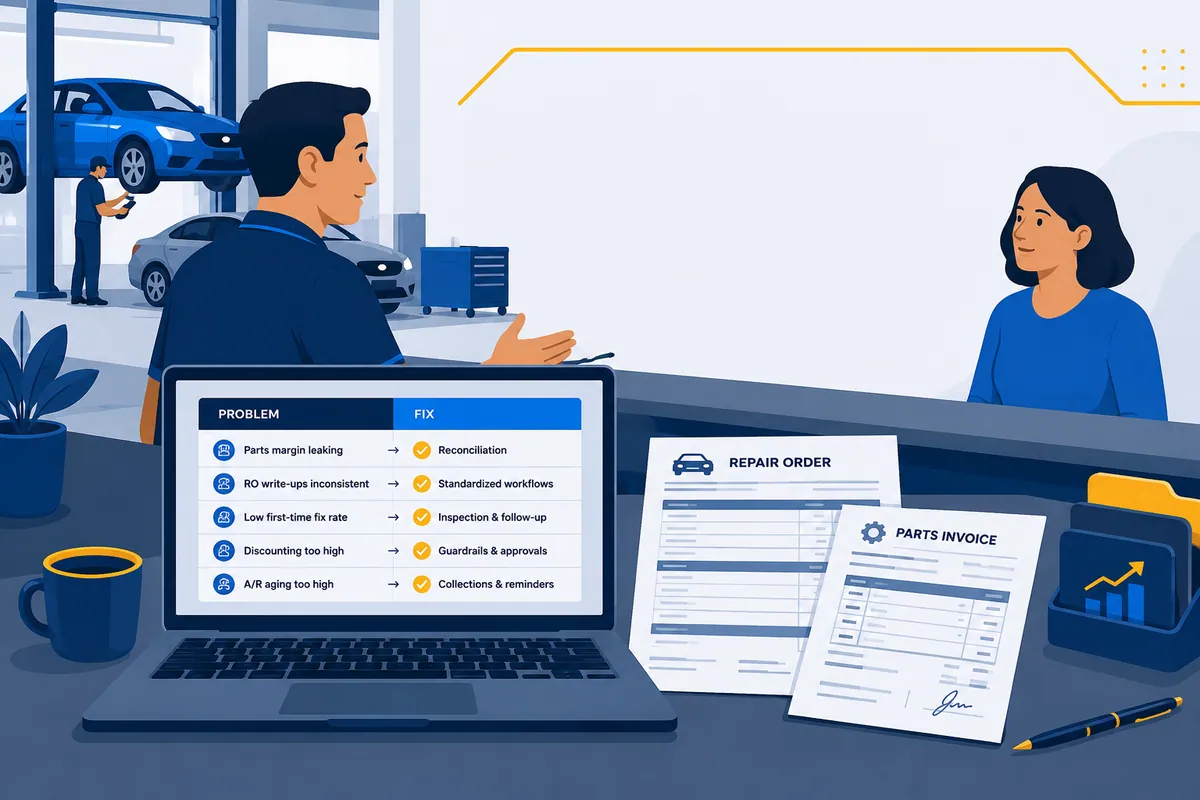

Buying automotive software because a competitor has it is like buying a lift because the shop down the street got one, then realizing you don’t have the ceiling for it. (Ask me how I know my dad once measured a lift after it arrived.) The tools aren’t the problem. Picking them by feature list instead of by the problem you actually have is the problem. This guide sorts automotive software solutions by the symptom you feel, not the category on the box.
I grew up in my dad’s shops and I’ve since sat in the back office of hundreds more. Same pattern every time. Owners describe a problem, then go shopping for a category, and the category rarely maps to the problem. So here’s the map in reverse: name what hurts, and I’ll point you at the class of software that fixes it, plus the deep dive when you’re ready to actually pick.
This is a routing hub, not a buyer’s list. It’s written for the owner and the multi-shop operator, not the customer in the waiting room. If you want the full category map of automotive software, start with the shop owner’s guide to automotive software and come back here when you know which problem you’re solving.
Match Automotive Software Solutions to the Problem, Not the Brochure
Twelve problems cover most of what owners describe to me. Each one has a clean answer. Reconciliation is on this list, but it’s one row of twelve, not the whole thing.
| The problem you feel | The solution class | The deep dive |
|---|---|---|
| Can’t write estimates or track jobs | Shop management system (SMS) | 5 best auto repair software tools |
| The bays are empty | Marketing, reviews & local SEO | the AI tools for auto repair roundup |
| Customers keep declining the work | Digital vehicle inspections (DVI) | this post, below |
| The schedule is chaos and no-shows pile up | Online scheduling + reminders | this post, below |
| Customers can’t afford the repair | Payments + customer financing | this post, below |
| Can’t find the fix fast enough | Repair info & diagnostics | diagnostics, OEM updates & scan tools |
| Parts ordering eats half the day | Parts catalog & procurement | parts ordering mistakes |
| Books don’t match reality | Accounting + reconciliation | auto repair accounting software |
| Parts margin is leaking | Parts / AP reconciliation | invoice reconciliation software |
| Multiple locations, no visibility | Multi-location back office | multi-location auto repair back office |
| Drowning in vendor statements | AP automation vs reconciliation | the auto repair software stack |
| Not sure what to buy | Fix process before buying | this post, below |
Now the long version of each.
”I Can’t Write Estimates or Track Jobs” → A Shop Management System
This is the foundation problem. You’re running ROs on paper, in a spreadsheet, or in a tool you’ve outgrown. Estimates take forever. Nobody knows which car is where. Parts get ordered twice or not at all.
That’s a shop management system, full stop. An SMS runs the repair workflow: estimates, repair orders, scheduling, parts ordering, the matrix, customer texts. Tekmetric, Shop-Ware, Mitchell 1, Protractor, RO Writer, NAPA TRACS, Fullbay. They differ on the edges, but they all solve this core problem.
One warning before you shop. A new SMS is a four-to-six-week migration, not a light switch. Ratchet and Wrench’s guide to choosing a shop management system quotes a 40-year industry coach saying owners switch expecting an easy turn of a switch, and the change “can cripple a business.” So switch because your current tool genuinely can’t do the job, not because the demo had a prettier dashboard. To compare the real options, the auto repair software tools breakdown does the head-to-head.
”The Bays Are Empty” → Marketing, Reviews, and Local SEO
No cars, no revenue, no amount of back-office cleverness fixes that. If the schedule has holes and the phone isn’t ringing, you don’t have a software problem inside the shop. You have a demand problem outside it. Before you buy anything, our auto repair marketing playbook works that problem the way an owner should — judging every channel against your gross profit per repair order.
The solution class is marketing, reputation, and local SEO. In plain terms: show up on Google when someone two miles away searches “brake repair near me,” collect reviews so you outrank the shop that doesn’t ask, and stay in front of past customers so they come back instead of drifting to the dealer. That first part, showing up, is its own discipline now, and it increasingly runs through AI search too, where a customer asks an assistant to recommend a shop instead of scrolling a page of links. If getting found is the gap you actually have, that is what local SEO for auto repair firms like Rank High AI specialize in.
A few real tools that live here. Podium is built around review collection and customer texting. Kukui is an auto-repair marketing platform with shop websites, email and reminder campaigns. Steer (which absorbed the old Mechanic Advisor brand) leans toward customer retention and reactivation. Shopgenie, now Tekmetric Marketing, bundles marketing and CRM with its booking tool. They overlap, so don’t buy three of them. Before you shop any of them, what an auto repair CRM actually stores sorts them into the two archetypes that matter and gives you the questions to ask on the demo.
Here’s the part owners skip. Reviews are free and they move the needle more than ad spend. Ask every happy customer, every day, with a text before they pull out of the lot. A lot of shops buy a marketing platform to automate a request they were never making by hand. The platform helps, but the habit is the thing. If you want the broader view of where automation actually earns its keep here, the AI tools for auto repair roundup covers the marketing side honestly.
”Customers Keep Declining the Work” → Digital Vehicle Inspections
The car comes in, the tech finds four things, the customer approves one, and you watch three legitimate repairs walk out the door. That’s not a pricing problem. It’s a trust problem. People say no to what they can’t see.
The solution class is digital vehicle inspections, or DVI. Instead of a service advisor reading a list over the counter, the tech sends photos and short videos of the worn brake pad and the leaking strut straight to the customer’s phone. Seeing the problem changes the answer.
AutoVitals and AutoServe1 are two of the established DVI tools, and most modern shop management systems now include a DVI module of their own. So before you buy a standalone, check what your SMS already does. You may be paying for a feature you already own and never turned on.
One honest caveat. DVI raises approvals because the work is real and now visible. It is not a trick to sell air filters nobody needs. Use it to show the truth faster. Customers can smell the difference, and so can a review.
”The Schedule Is Chaos and No-Shows Pile Up” → Online Scheduling and Reminders
The appointment book is a paper grid, a whiteboard, and three sticky notes that disagree with each other. Customers call during the lunch rush, get voicemail, and call the shop down the street. The ones who do book sometimes just don’t show.
The solution class is online scheduling with automated reminders. Customers book themselves from your website or a Google listing, the appointment lands in your SMS calendar, and the system texts a reminder so the 8 a.m. actually shows up at 8 a.m.
Plenty of shop management systems include scheduling, and several of the marketing tools above carry it too. Shopgenie’s online booking tool is one example, and Steer offers a booking tier. The routing point is the same as DVI: check whether your SMS already does this before adding another subscription.
Do the math on no-shows once. Say two no-shows a week and an average repair order of $450. That’s $900 a week, roughly $46,000 a year, illustrative but not crazy. A reminder text that recovers even half of that pays for the tool in a week and then some.
”Customers Can’t Afford the Repair” → Payments and Customer Financing
A $1,800 transmission estimate and a customer staring at a $1,200 checking account is a deal that dies at the counter. They don’t decline because they don’t trust you. They decline because they can’t write the check today.
The solution class is payments plus customer financing. Modern payment tools add text-to-pay so the customer pays from the driveway. Financing partners let the customer say yes now and pay over time, while you still get paid up front.
Sunbit is a point-of-sale buy-now-pay-later option common in service drives. Snap Finance offers lease-to-own approvals aimed at customers with thin or no credit. DigniFi runs installment loans for repairs. Each one carries its own fees and terms, so read them, and be straight with customers about the cost of carrying a balance. For the merchant side of that arithmetic, see what customer financing costs your shop.
A fair warning, because this is where the dad in me shows up. Financing turns “no” into “yes,” but it doesn’t make a bad estimate good. If you’re leaning on financing to push work people don’t need, the chargebacks and the one-star reviews will find you. Use it to make real repairs affordable, not to inflate the ticket.
”I Can’t Find the Fix Fast Enough” → Repair Information and Diagnostics
A tech who can’t find the procedure is a billable hour you’re paying for and not selling. Modern vehicles don’t forgive guesswork, and the wiring diagram you need is rarely the one taped inside the toolbox from 2009.
The solution class is repair information and diagnostics: factory procedures, wiring diagrams, torque specs, service bulletins, and known-fix databases. Mitchell 1 ProDemand and ALLDATA are the two big repair-information libraries. Identifix (owned by Solera) is known for its known-fix and hotline angle, pairing common-symptom data with real repair confirmations.
These aren’t interchangeable, and a lot of good shops run two on purpose: one for deep procedures and diagrams, one for fast “what usually causes this code” answers. That’s not over-buying. That’s buying a procedure library and a diagnostic shortcut, which are two different jobs. For the moving target of scan tools and OEM access, the diagnostics, OEM updates, and scan tools deep dive goes further than I will here.
”Parts Ordering Eats Half the Day” → A Parts Catalog and Procurement Tool
If your parts process is a service advisor with four supplier tabs open, comparing prices by eyeball while a customer waits, you’re losing time on every ticket. Multiply that by every RO and you’ve got a full position’s worth of clicking.
The solution class is a parts catalog and procurement layer that searches multiple suppliers in one lookup. PartsTech aggregates pricing and availability across a large supplier network in a single search. Nexpart (WHI’s network) and MyPlace4Parts connect shops to their suppliers from one screen. Most of them push the order straight into the repair order in your SMS, so nobody retypes a part number.
Two things to hear clearly. First, faster ordering is not the same as correct billing. A procurement tool finds the part and places the order. It does not check whether the vendor billed you what they quoted, or whether the core got credited. That’s a different layer entirely, and it’s two problems down. Second, most parts leakage starts at the order, not the invoice, so the common parts-ordering mistakes post is worth ten minutes before you blame the vendor. If you want the numbers to watch, the auto repair parts KPIs benchmarks show what good looks like.
”My Books Don’t Match Reality” → Accounting Plus a Reconciliation Step
Here’s a take I’ll defend all day: accounting software doesn’t verify reality. It records what gets entered. It has no idea whether an invoice ever made it into the office, whether a vendor forgot a credit, or whether a part you paid for was ever sold.
So if your books “don’t match,” you usually have two separate problems wearing one coat.
The first is an accounting problem: your chart of accounts is a mess, your bookkeeper is behind, or you’re on the wrong tool. That’s solved by getting your auto repair accounting software and your bookkeeping discipline right. Almost always QuickBooks plus a real close routine.
The second is a verification gap, and no accounting tool closes it, because QuickBooks isn’t supposed to. It trusts what you enter. Proving the entries reflect what actually happened on the shop floor is a reconciliation job, which leads straight to the next problem.
”My Parts Margin Is Leaking” → Parts and AP Reconciliation
Your parts margin has been shrinking so quietly you’d think it signed an NDA. Revenue looks fine. The matrix looks fine. But the parts line on the P&L keeps drifting the wrong way, and nobody can point to a single reason.
That’s because there usually isn’t a single reason. It’s dozens of small ones. A missed credit here. An uncredited core there. A part bought for a job, never sold, never returned. A vendor who billed you twice for the same alternator (bold strategy). None of these are dramatic enough to notice alone. Together they’re one of the biggest sources of profit leakage in auto repair.
Here’s the worked math, and it’s illustrative, not a promise. Say one location runs $90,000 a month in parts. A 1.5% leak across missed credits, uncredited cores, and bought-not-sold parts is $1,350 a month. That’s $16,200 a year. Per store. A 1.5% leak is small enough that no one notices it and big enough to buy a tech a very nice Christmas. It just isn’t your tech getting it.
This is the one problem where your SMS and your accounting software both leave you exposed. The SMS knows what you ordered and sold. Accounting knows what you paid. Neither one audits the vendor invoice, line by line, against the repair order. That comparison is the entire job of parts-invoice reconciliation.
This is where WickedFile honestly fits. It’s the reconciliation layer that sits between your SMS, your vendor invoices and credits, QuickBooks, and your bank feed, and surfaces the exceptions: missing invoices, credits the vendor never applied, uncredited cores, parts billed but never sold, untraceable PO numbers. To be clear about what it is not: WickedFile is not an SMS, not your accounting system, not a parts inventory or stock-counting tool, not an ERP, and it doesn’t move money. It checks whether the bill is right before you pay it. If you want the category fundamentals, the invoice reconciliation software guide draws the line between reconciliation and everything it gets confused with.
And if your “leak” turns out to be one service advisor discounting off the matrix to close sales, you don’t need software at all. You need a conversation and a locked matrix. Process first.
”I Have Multiple Locations and No Visibility” → A Multi-Location Back Office
One store, the owner catches most things by walking the bays. Add stores and that stops working, because the person paying the bills is no longer the person ordering parts, selling work, or dealing with the vendor. Visibility doesn’t scale by trying harder. It scales by structure.
The solution class here isn’t one app, it’s a back-office operating model: standardize one SMS across stores, consolidate the books, and centralize AP so eleven shops aren’t each inventing their own statement habits. The leaks that were rounding errors at one store get multiplied by location count. A skipped core is a shrug at one shop and an area code at twelve.
I won’t re-litigate the whole playbook here, the multi-location auto repair back office post is the operating manual. The routing point is this: don’t solve a structural problem by buying every store its own software. Solve it by building one back office that sees all of them, then give that back office a reconciliation layer so it’s not reconciling a dozen shops by hand.
”I’m Drowning in Vendor Statements” → Know AP Automation From Reconciliation
This is the problem where shops over-buy the most, because two different solution classes both claim it.
AP automation moves a bill through a workflow. Capture it, code it, route it for approval, pay it. If your back office is buried in manual data entry and approval chains, AP automation genuinely helps. It’s a real category and it does real work.
But AP automation will pay a wrong invoice faster than you ever could. It doesn’t ask whether the bill is correct. Reconciliation does. Reconciliation asks: did we get this part, was it sold, did the credit post, does the statement include everything it should before we send a check?
So the honest routing: if your pain is “too many manual steps,” look at AP automation. If your pain is “I don’t trust the statement I’m about to pay,” that’s reconciliation. Plenty of multi-location groups end up wanting both, but buying one and expecting the other’s outcome is exactly how a tool disappoints you. The auto repair software stack lays out where each layer sits so you don’t double-buy.
One more opinion while we’re here, because it’s the root cause of most statement drowning: if your AP process only starts when the statement arrives, you’re already 30 days behind. The fix isn’t always a purchase. Working invoices throughout the month and using the statement as the final check, instead of the first real look, solves more statement pain than any tool.
How to Pick Automotive Software Solutions Without Over-Buying
Here’s the take I most want owners to hear: most shops over-buy software and under-fix process.
Software is rarely the first answer. Usually the first answer is a better habit. A PO number convention. Invoices uploaded daily instead of in a month-end pile. Statements reconciled before they’re paid. A matrix nobody is allowed to override on the fly. I’ve watched shops spend five figures on a platform to solve a problem a $0 process change would’ve fixed, and I’ve watched the platform fail because the process was still broken underneath it.
So run every problem through this before you buy:
- Name the symptom in one sentence. “Estimates take too long.” “I don’t trust my parts margin.” If you can’t say it cleanly, you’re not ready to shop.
- Ask if it’s a process problem first. Would a habit, a rule, or a checklist fix it? If yes, fix that and wait a month.
- If it survives, buy one class, not a suite. Match the symptom to a single solution class above. Don’t let a vendor sell you the other five because they’re bundled.
- Re-measure. A tool that doesn’t change a number you can point to is a subscription, not a solution.
That’s the whole method. Problem, process, one tool, measure. Boring on purpose, because boring is what keeps your parts margin from needing its own area code.
If you’ve named your problem and it’s parts margin or vendor statements you can’t trust, reconciliation is the class to look at, and you can book a demo when you’re ready. If it’s anything else, I just talked you out of a sale, and that’s fine. The goal was never to sell you software. It was to make sure the money you spend on it actually fixes the thing that hurts.